Everything your team needs to manage recruitment in one place
Recruit So Simple brings candidates, clients, vacancies, communication, maps, CVs, documents, notes, activity history, reporting and AI matching into one recruitment CRM, with no add-on modules or upgrade tiers.
Jump to the workflow problem you want to fix
Each tool is included with the full platform.
Work from anywhere
Securely access your data from anywhere, on any device.
Centralise messages
Send, receive and log every conversation against the right record.
Loop in colleagues
Bring colleagues and related records into the conversation.
Automate follow-up
Use automation templates or create custom automation workflows.
Support candidates
Give candidates a dashboard for next actions, details, CVs and documents.
Collaborate with clients
Share shortlists, gather feedback and keep client documents moving.
Sign documents
Prepare, send, sign and store PDFs without leaving the recruitment record.
Make it your own
Customise labels, grids, field names, statuses and account branding.
Design agency CVs
Build reusable branded layouts and merge candidate details into client-ready PDFs.
Set goals & KPIs
Set live targets and celebrate progress on an animated office leaderboard.
Work geographically
Plot records on a live map, filter counts, focus records and view commute times.
Find records faster
Search candidates by postcode radius, skills, employment preferences, salary expectations or saved searches, and more.
Watch saved searches
Put a saved search on Radar and get alerted when new matching records arrive.
Organise candidates
Use custom tags and groups to organise marketing lists, favourites, searches and call campaigns.
Parse CVs
Upload a CV and create a complete candidate record in seconds.
Connect applications
Connect your website, publish vacancies and receive applications directly into the CRM.
Track next actions
Tasks, interviews and reminders, shown in your Outlook, Google or Apple calendar.
Plan each day
Next Up lines up CV chases, interview prep and feedback each morning.
Measure progress
Live KPIs, targets and team leaderboards across the whole pipeline.
Split placement fees
Share placement revenue and credit fairly between multiple consultants.
Use practical AI
CV summaries, job descriptions, interview questions and candidate matching.
Post to job boards
Multi-post to hundreds of job sites via Broadbean, Idibu or LogicMelon.
Manage consent
Portal consent, deletion requests, retention support and AWS hosting.
Secure the account
Passkeys, 2-Step Verification, permission groups and an Audit Log.
Track documents
Includes 20GB of secure storage with automated document expiry reminders.
Forecast revenue
See potential and confirmed revenue across your whole pipeline.
Keep data clean
Duplicate checks, merging, required fields and a 30-day deleted items bin.
Connect your tools
Email, calls, job boards, your website and AI assistants.
And more…
Formatted CVs, Google for Jobs, data imports and more.
Give your team access to the same live database, wherever they are.
Recruit So Simple runs entirely in your browser, so there is nothing to install and no local software to maintain. Your team can access candidates, clients, contacts and vacancies from any device with an internet connection.
Recruit So Simple works across desktop, laptop, tablet and mobile, with SSL encryption, daily backups and redundant servers. Hosted on Amazon Web Services infrastructure, the platform provides a fast, reliable and secure foundation for your recruitment database.
Talk to our team
Stop losing client and candidate context in individual inboxes.
Connect Microsoft 365, or any other mailbox such as Gmail using its IMAP and SMTP details, and send SMS directly from the CRM. Email leaves from your own address, and messages from candidates and contacts are saved on the right record, so the whole team can see the full exchange.
Reusable email and SMS templates plus trigger-based automations help keep routine communication consistent. Add email and SMS steps for welcome sequences, interview follow-ups, reminders, document requests and feedback chasing.
Check Spam Score reviews an email before you send it, the email health check explains a failing connection in plain English, and Failed Email Alerts tell you when something did not go. Text messages can carry your company name as an approved Sender ID1.
See email and calendar integrations
Bring colleagues into the record instead of passing context around.
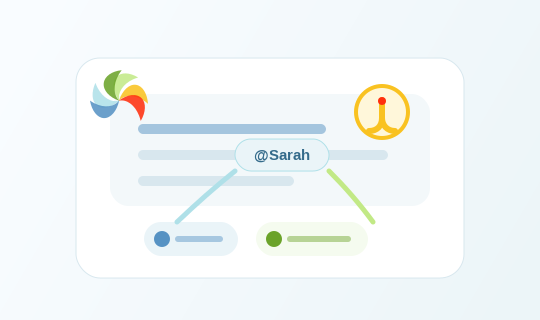
Use Mentions in journals to notify colleagues, link related candidates, clients, contacts or vacancies, and keep important context connected.
Mentioned colleagues receive an email and on-screen alert, while shared journal entries can be found from every assigned record.
Find useful records without starting every search from scratch.
Search candidates, clients and contacts using any combination of keywords, job titles, skills, tags and location. Save your most-used searches and filters so the searches you rely on are ready when you need them.
For location-based recruitment, postcode radius search supports UK postcodes and US ZIP codes. CV and document search is powered by AI parsing, helping you search large volumes of uploaded CV content.

Organise candidates around the work your team actually does.
Tags are custom keywords you can assign to candidates, clients, contacts and vacancies to make searching more precise. Add tags manually or apply them automatically when a CV is parsed, helping you quickly find records by skills, qualifications and other attributes.
Groups give you another way to organise records, whether you are building a call list, a marketing campaign or a shortlist of favourites. You can email, text and search any group when you need to act on it.

Turn CVs into candidate records without retyping the basics.
Drop in a CV and Recruit So Simple extracts contact details, employment history, skills and qualifications, then creates an AI summary for the candidate record. Tags identified in the CV can be applied automatically. CVs can also arrive via MailDrop, bulk import, website applications, Broadbean, Idibu or LogicMelon.
See the parsing workflowKeep website applications connected to the CRM.
Add a single line of code to your existing site with the Website Integration Module, and candidates can search live vacancies and apply directly. If you have a web developer, the advanced integration gives them more control over the styling. Applications import automatically into your candidate database.
Your subscription also includes a Job Board: a standalone web page for advertising vacancies. Use it as the jobs page on your website, link to it from campaigns, or run it on its own. Candidates can search, favourite and apply for jobs, and every posted vacancy is prepared for Google for Jobs.
If your existing website runs on WordPress, our free WordPress plugin gives you another simple option: add a searchable Recruit So Simple jobs page to your site while continuing to manage vacancies and applications from the CRM.
For a custom build, JSON and XML data feeds and the Data Posting API let your developer list vacancies and send applications from your own forms. Candidate Registration Terms can require applicants to tick your terms before they apply.
See website options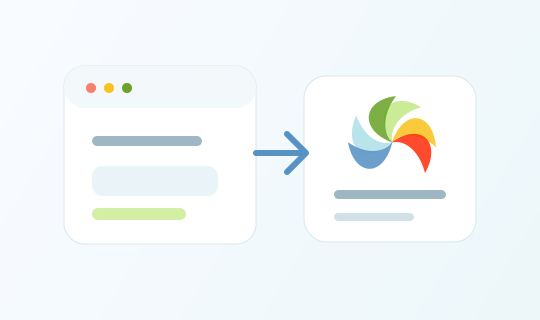
Make the next action visible before it gets forgotten.
Create tasks linked directly to candidates, clients or contacts, and set reminders for interviews, calls or other time-sensitive activity. Tasks can be assigned to specific colleagues, making team workload easier to manage.
Tasks and interviews appear on the built-in calendar, and Calendar Feed shows them in Outlook, Google Calendar or Apple Calendar as a read-only subscription. An optional email each morning lists the day’s interviews.
Setting an expiry date on a document can also trigger tasks and reminders, including reminders sent to the candidate or contact if required.

Start each day with the follow-ups already lined up.
Next Up builds every consultant a short to-do list each working morning from their own pipeline, interviews, tasks and notes, then tops it up in the afternoon.
The right chases, in order
CV follow-ups, first contact, interview prep, interview feedback and due tasks appear on the dashboard, and clear themselves once handled.
Emails drafted to sound like you
Follow-up emails are drafted from the way you already write. Review each one in the email composer, because nothing is sent from Next Up itself.
Promises from your notes
If a journal entry says you will call someone back on Thursday, Next Up picks it up and puts it on the list.
CVs Sent tracking
Every CV emailed to a client is listed with its follow-up status, so you can chase each client separately, record their feedback and see what is overdue.
Your own timings
Each consultant sets how many working days to wait before chasing a CV, making first contact, preparing for an interview or asking for feedback.
Currently Viewing
See which colleagues are active on the same record as you, so two consultants do not ring the same candidate at once.
Know what is driving progress, not just activity.
Real-time reporting covers the full recruitment pipeline, including CVs sent, interviews arranged, placements made and revenue generated. Filter by date range, consultant, client or team to compare individual and collective performance.
Set targets for consultants, teams or the whole company and monitor progress live. Put animated leaderboards with optional celebration sounds on an office screen, and explore Goals & KPIs in more detail.
See every included report
Credit shared work without messy reporting afterwards.
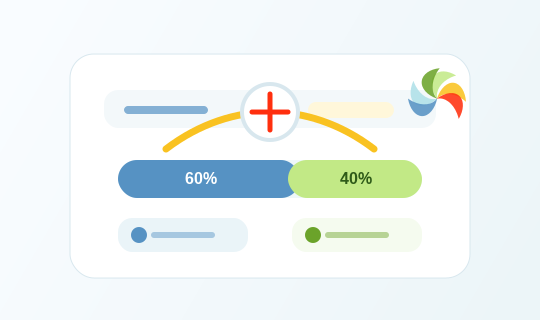
Split Fees make shared placements simple. Divide a fee between consultants by percentage, then let Recruit So Simple handle the reporting.
Each consultant gets the right share of revenue and placement credit across dashboards, goals, leaderboards and reports, while your company totals stay accurate.
Use AI for real recruitment work, not generic demos.
Recruit So Simple includes AI tools that support common recruitment tasks without taking control away from your team.
- Match candidates to live vacancies
- Generate job descriptions
- Draft interview questions
- Summarise long CVs
- Review candidate matching scores
- Search records in plain English
- Fill a new vacancy from a job spec
- Ask the built-in RSS Assistant
Post jobs widely without leaving the recruitment workflow.
Recruit So Simple integrates with Broadbean, Idibu and LogicMelon, making it easier to post jobs across hundreds of job sites2.


Applications can be imported back into Recruit So Simple for review. You can also choose to import only applications that have been pre-rated, helping your team focus on the most relevant candidates first.
For Indeed, switch on the included Job Board and give Indeed its data feed address. You choose which vacancies the feed carries, and applicants arrive in the CRM for review.
Keep consent, retention and follow-up actions visible.
Dedicated tools support day-to-day GDPR processes, including consent management and data retention. In the Candidate Portal, candidates give or withdraw GDPR and marketing consent themselves and can ask for their data to be deleted. Each choice is dated on their record and can trigger an automation.
Recruit So Simple is built to support GDPR compliance. Infrastructure is provided by Amazon Web Services (AWS), which maintains internationally recognised security certifications and accreditations.
Passkeys, 2-Step Verification, permission groups and the Audit Log help you control who can reach that data. Explore security and permissions.
Read more about GDPR
Send contracts for signature from the record you are already on.
Prepare any PDF, add candidates, client contacts and agency users, then place colour-coded Signature, Initials, Name, Date, Text and Checkbox fields.
Everyone is invited together and can sign in any order. Live status stays on the record, and the completed signed PDF is stored automatically.
Each signed document has its own Signature verification page, where anyone holding the link can see who signed and check that their copy is the signed one.
See the full eSignature workflow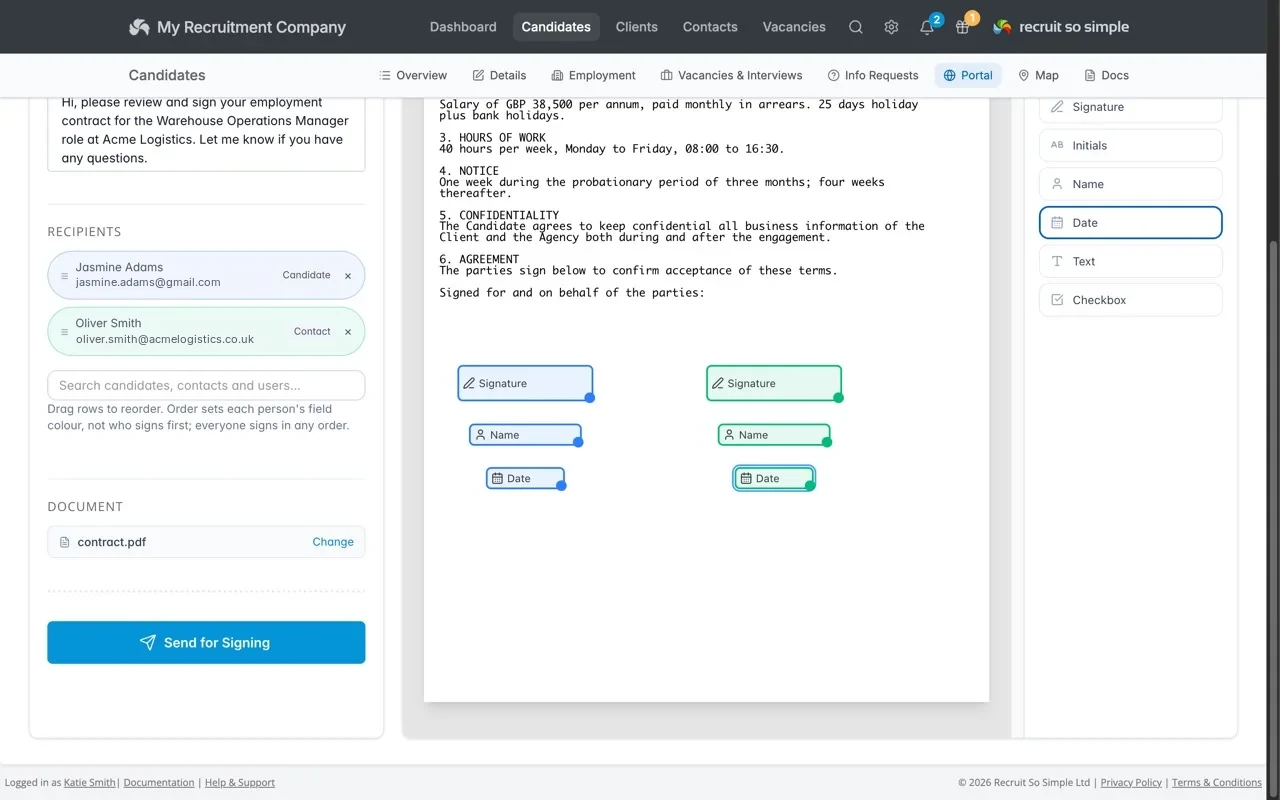
Spot missing or expiring documents before they hold up a placement.
Set expiry dates on compliance or identity documents and Recruit So Simple can create the task, remind the consultant, and contact the candidate or contact if you choose. Every account includes 20 GB of secure document storage as standard.
See document remindersSee which vacancies are likely to produce revenue.
Filter by date, consultant or team to track placements, revenue and overall performance in real time. Review individual and team performance side by side without exporting data first.
Add fee rates globally, by client or by vacancy, and Recruit So Simple calculates potential revenue across the pipeline. You can see total pipeline value as well as the value attached to individual vacancies.
Fees can be banded by salary as a percentage or a fixed amount, so placement revenue fills itself in. Optional rebate terms show when each rebate period ends and what you would owe today, and retainers record fees earned before a placement.

Keep duplicates and half-finished records out of the database.
Small checks at the point of entry save hours of tidying up later.
Duplicate checking
As you add a client, Recruit So Simple checks the company name, website and phone number against the clients you already hold and shows any possible matches.
Merge Records
Merge duplicate candidates, clients or contacts into the record you want to keep. The Duplicate Records report finds candidates and contacts that share an email address.
Required fields
Choose the fields that must be completed before a candidate, client, contact or vacancy can be saved, including a real postcode instead of “TBC”.
Deleted Items
Deleted records are kept for 30 days and can be restored, with a note of who deleted them and when.
Client sites
Give a client as many sites as it has, link each vacancy to the right office, and attach a contact to several sites when they cover more than one.
Do Not Contact
Mark a candidate, client or contact as Do Not Contact so nobody emails, texts or calls them by mistake.
Plus the details that remove small daily bottlenecks.
Useful tools included as standard, so teams do not have to bolt on extra products for routine recruitment work.
Automation
System events, such as adding a candidate or scheduling an interview, can automatically trigger tasks, emails and SMS messages1.
AI agents
Connect ChatGPT, Claude or another AI assistant and work on your records in plain English, while you decide what it is allowed to change. See AI agents.
Job spec parsing
Paste or upload a client’s job spec and the new vacancy’s title, salary, job type, work location and description are filled in for you to check.
Call logging
Calls made through Aircall or Atom Insight CallConnector are journaled on the matching candidate, contact or client3. See call integrations.
Security & permissions
Passkeys, 2-Step Verification, permission groups, sign-in location limits and an Audit Log are included. Explore security.
Radar
Keep saved searches running daily and get an alert when a new record matches. Explore Radar.
CV Designer
Build branded A4 templates, merge candidate details and create a polished agency PDF from the candidate record. Explore the CV Designer.
Candidate portal
Give candidates a secure dashboard for outstanding actions, profile progress, contact details, CVs, documents, privacy choices and assigned requests. Explore the candidate portal.
Client portal
Give clients a branded, secure workspace for shortlisted candidates, advisory feedback, interviews and documents while you control access contact by contact. Explore the client portal.
Data migration
Import candidates and contacts using built-in data migration tools for CSV files, spreadsheets and CVs. If you ever leave, you can export your data at no charge.
Google for Jobs
Enable the included Job Board, and any job you post is made available for Google for Jobs to index automatically.
Recruitment websites
We also offer a cost-effective website solution for recruitment businesses that want a professional site they can update themselves.
Customisation
Use custom labels and colours, field names, grid columns, pipeline and candidate statuses, plus your company name and brand icon. Explore customisation.
1 Requires SMS credits, which can be purchased from inside Recruit So Simple.
2 An account with Broadbean, Idibu or LogicMelon is required. Additional fees apply.
3 An Aircall or Atom Insight CallConnector account is required.
Agencies mention the same things
4.9 Average 33 Reviews
Easy adoption, responsive support and better value than over-complicated recruitment systems.

C Welch
After working in the recruitment industry for a number of years and having a vast amount of experience with different recruitment databases, when I started my own business I knew I was looking...
Read the full reviewB Murphy
Being able to consolidate all of my data to one, simple to use, cloud-based solution has transformed my business. I cannot recommend RSS highly enough. The after-sales customer service is an...
Read the full reviewTry the full recruitment CRM free for 14 days.
No charge during your trial. One-month rolling after that. Every CRM feature and UK-based support included.