Practical AI for real recruitment work.
Use AI to match candidates faster, understand CVs quicker and draft useful text in seconds, while keeping recruiters in control of every decision.
AI tools that support everyday recruitment work.
Jump to the tools that help with matching, summaries, writing, searching and interview preparation.
Candidate matching score
Review suitability for a vacancy with a percentage score and the reasons behind it.
AI CV summary
When a CV is added or updated, generate a clear, structured summary in seconds.
AI writing tools
Refine or expand text wherever you create content in the system, including emails, journals, tasks and branded CVs.
AI-generated job descriptions
Create structured job description templates from the vacancy title and key details.
AI-generated interview questions
Generate example interview questions based on the job description, tailored for the interviewer or client.
AI Search
Describe the records you want in a plain English sentence and review the search rules it creates.
RSS Assistant
Ask the chat on every page to find records, answer how-to questions and prepare changes for you to approve.
Job spec parsing
Paste or upload a client’s job spec and the new vacancy is filled in for you to check.
AI agents
Connect ChatGPT, Claude or another assistant and work on your records in plain English.
Start a shortlist without starting from a blank search.
Candidate matching ranks your candidates against a vacancy with a percentage score, banded from Weak to Excellent, and shows the reasons behind each one: a tick for every strength and a cross for every gap.
The score acts as an extra signal when prioritising candidates, reviewing shortlists and deciding where to spend time first. Your recruiters still use their judgement, client knowledge and experience to decide who moves forward.
Back to all AI tools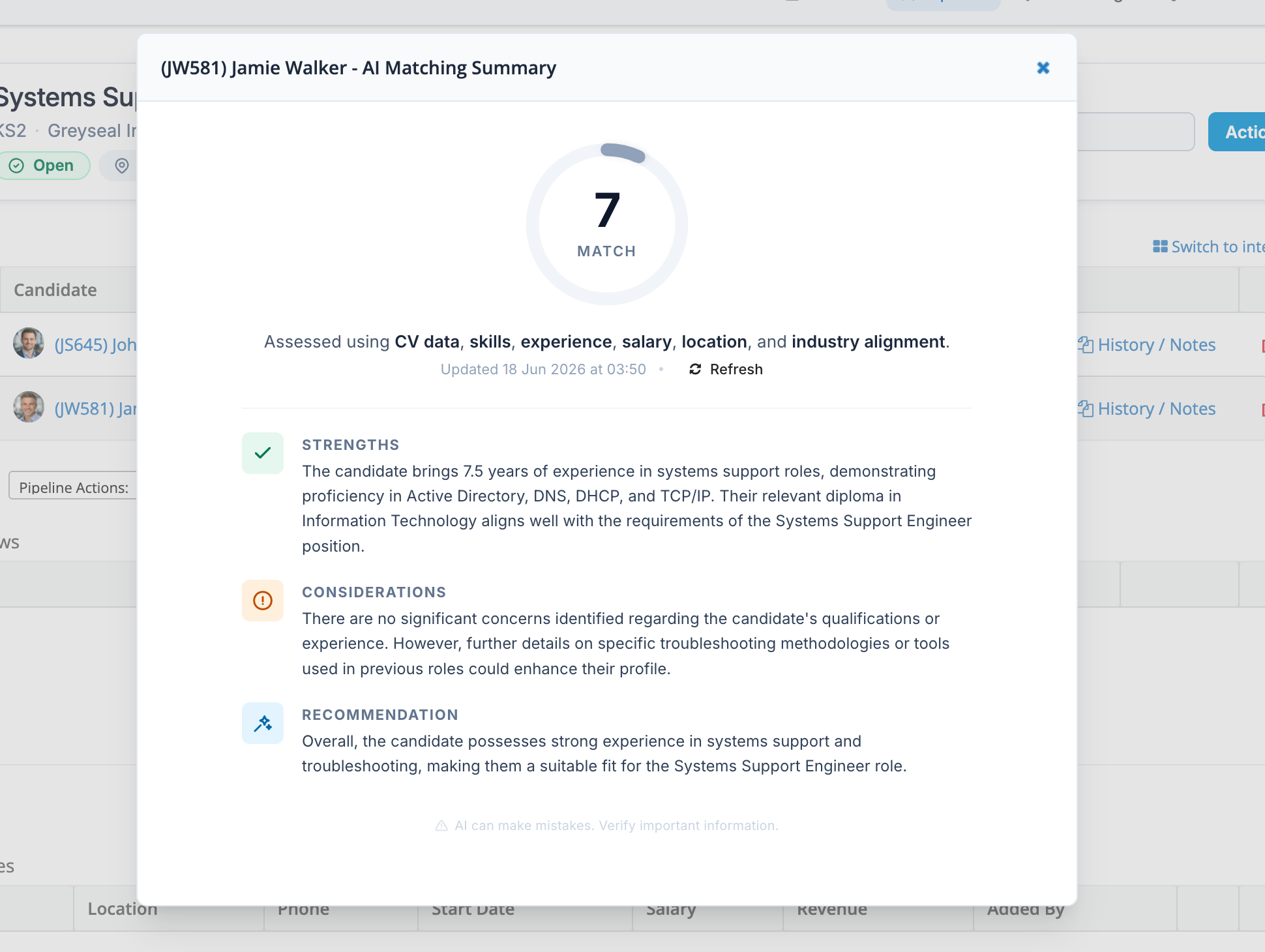
Understand a CV before reading every line.
When a CV is added or updated, Recruit So Simple can generate a clear, structured summary covering areas such as professional overview, current role, qualifications, skills, achievements and previous experience.
The summary is saved automatically on the candidate record, giving consultants a faster way to understand a CV before reading the full document in detail.
Back to all AI toolsWrite first drafts without leaving the record.
AI writing tools are available wherever you create content in the system. Highlight text, choose a writing style, and use AI to refine, rewrite or expand it.
These tools can be used for:
- Emails and SMS messages
- Journal notes
- Tasks
- Job descriptions
- Branded CVs
They help speed up everyday writing while keeping the final wording firmly in your control.
Back to all AI tools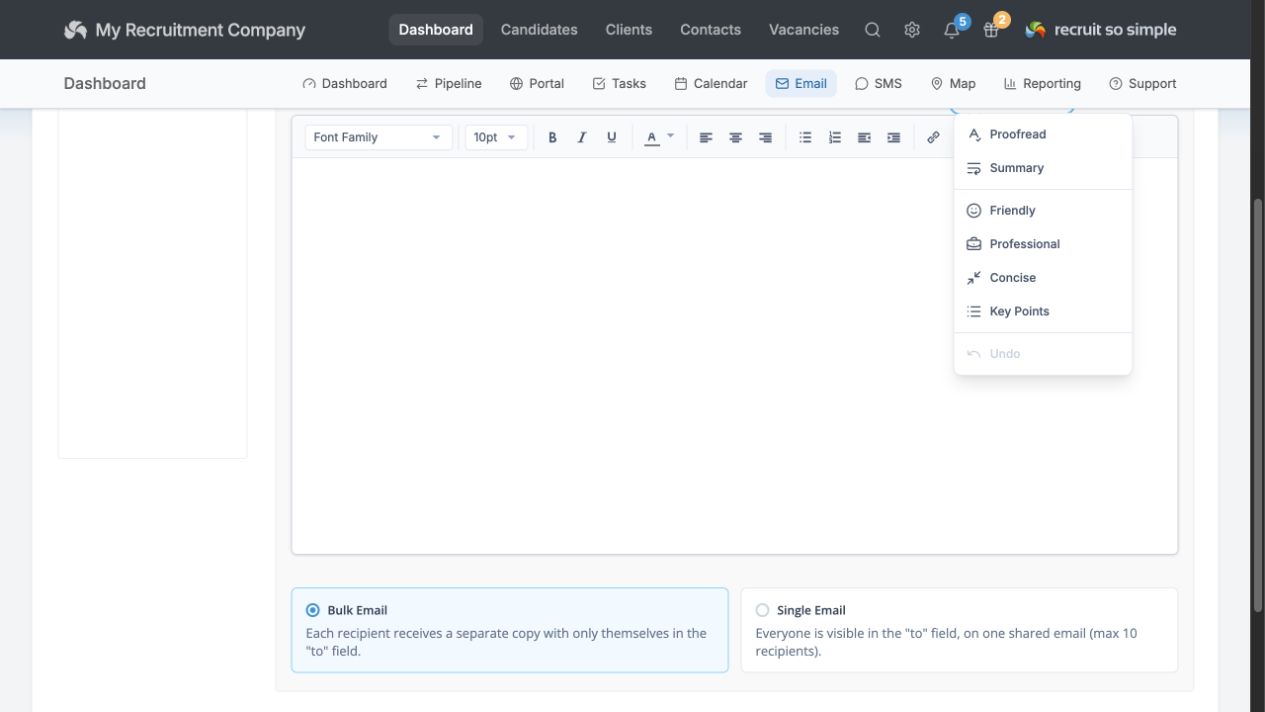
Turn vacancy details into a usable first draft.
Create job description templates from the vacancy title and key details such as role type, hours and salary. Templates can be generated directly within a vacancy record, giving you a useful first draft that can be reviewed and refined before it is shared.
Back to all AI tools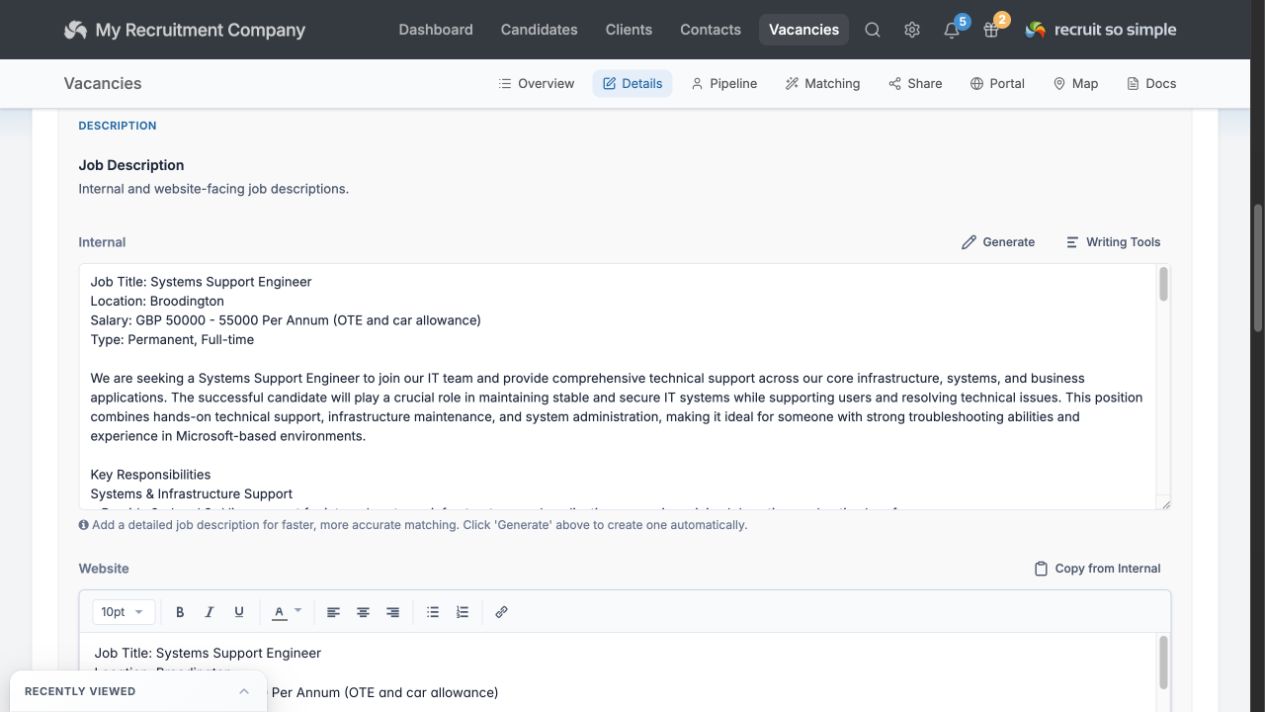
Give interviews a clearer starting point.
When scheduling interviews, generate example questions based on the job description. Questions can be tailored for either:
- The interviewer’s perspective, or
- The client’s perspective
Use them to help candidates prepare and give clients a clearer structure for the conversation.
Back to all AI tools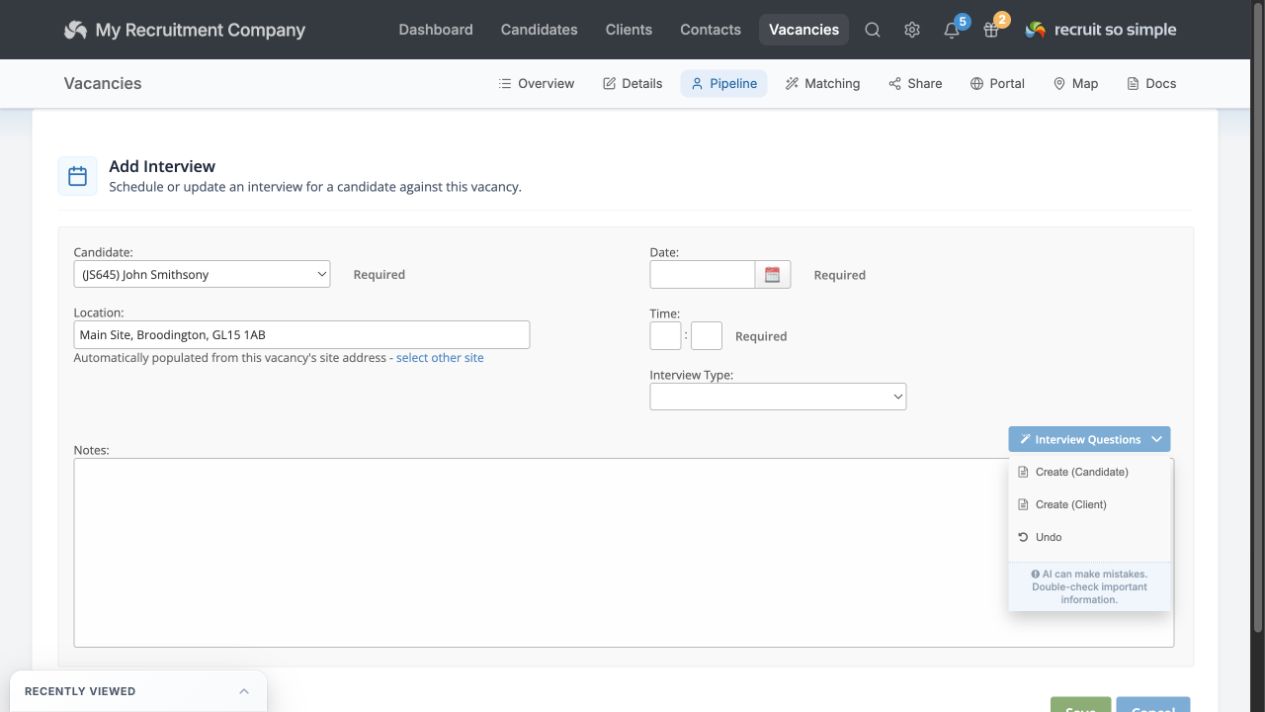
Describe who you are looking for in a sentence.
Type something like “active field service engineers added in the last 12 months” and AI Search turns it into search rules on your candidate, client, contact or vacancy grid.
Rules you can see and change
Every rule AI Search creates is shown in the Search Builder, so you can check what it understood, then edit or remove anything.
Salaries, dates and distance
It understands phrases such as “earning 40k+”, “in the last 3 months” and “within 10 miles of LS1”, and on candidates it looks inside CVs for certifications, seniority and education.
Save it and put it on Radar
Save an AI search like any other. Rolling periods stay rolling, and Radar can alert you when new records match.
Ask for what you need, then approve what changes.
AI that works across your records, inside Recruit So Simple or from the assistant you already use.
RSS Assistant
A chat built into every page that knows which record you are on. Ask it to summarise a candidate, show a vacancy’s pipeline or explain how a feature works.
Nothing changes without approval
When the RSS Assistant proposes a task, a journal entry or a pipeline move, it shows exactly what will be saved and waits for you to approve or cancel.
ChatGPT, Claude and other assistants
Connect your own AI assistant to search records, run reports and update pipelines, tasks and notes in plain English. See AI agents in action.
Job spec parsing
Paste or upload a client’s job spec when adding a vacancy and the title, salary, job type, work location and description are filled in for you to check.
Next Up email drafts
Each morning’s follow-up emails are drafted to sound like you, ready to review and send. Explore Next Up.
Your administrator decides
AI features are controlled by permission group, and administrators choose whether assistants may make changes or only read and report.
Agencies mention the same things
4.9 Average 33 Reviews
Easy adoption, responsive support and better value than over-complicated recruitment systems.

O Simpkins
A colleague recommended Recruit So Simple to me and I’m glad I made the switch. It took a little while to get used to a new system, but after a couple of days and a little help from their customer support, I’ve...
Read the full reviewT Burrows
As a startup I spent some time investigating recruitment software before stumbling upon Recruit So Simple. It’s early days, but I’ve found it very easy to use so far. The bulk import wizard made migrating data...
Read the full reviewPut practical AI to work without losing recruiter control.
No charge during your trial. No long contracts. UK-based support included.