Send contracts for signature, without leaving the record.
Prepare any PDF, add candidates, client contacts and colleagues, place their fields and send. Everyone signs in the portal or CRM, and the completed copy comes straight back to the record.
10 documents included every month · Any number of signers · No separate eSignature account
Employment contract
Alex Taylor · Project Coordinator
1. Appointment
Example Company appoints Alex Taylor as Project Coordinator, starting 1 October 2026.
2. Working arrangements
37.5 hours per week, based in Manchester. Annual salary of £35,000, paid monthly.
3. Agreement
By signing below, both parties confirm their acceptance of these terms.
A complete signing workflow, without handing the document to another system.
Click a step or let the walkthrough play. Signers are invited at the same time, complete only their highlighted fields, and receive their signed copy when everyone is finished.
This agreement is made between Brightpath Recruitment Ltd (the Agency), Acme Logistics Ltd (the Client) and the Candidate named below.
Put every field exactly where it belongs.
The editor shows the real PDF. Place Signature, Initials, Name, Date, Text and Checkbox fields, then drag or resize them without leaving the page.
Each signer has a clear colour, so contracts with a candidate, client and agency countersignature remain easy to check before sending.
Employment contract
Alex Taylor · Project Coordinator
1. Appointment
Example Company appoints Alex Taylor as Project Coordinator, starting 1 October 2026.
2. Working arrangements
37.5 hours per week, based in Manchester. Annual salary of £35,000, paid monthly.
3. Agreement
By signing below, both parties confirm their acceptance of these terms.
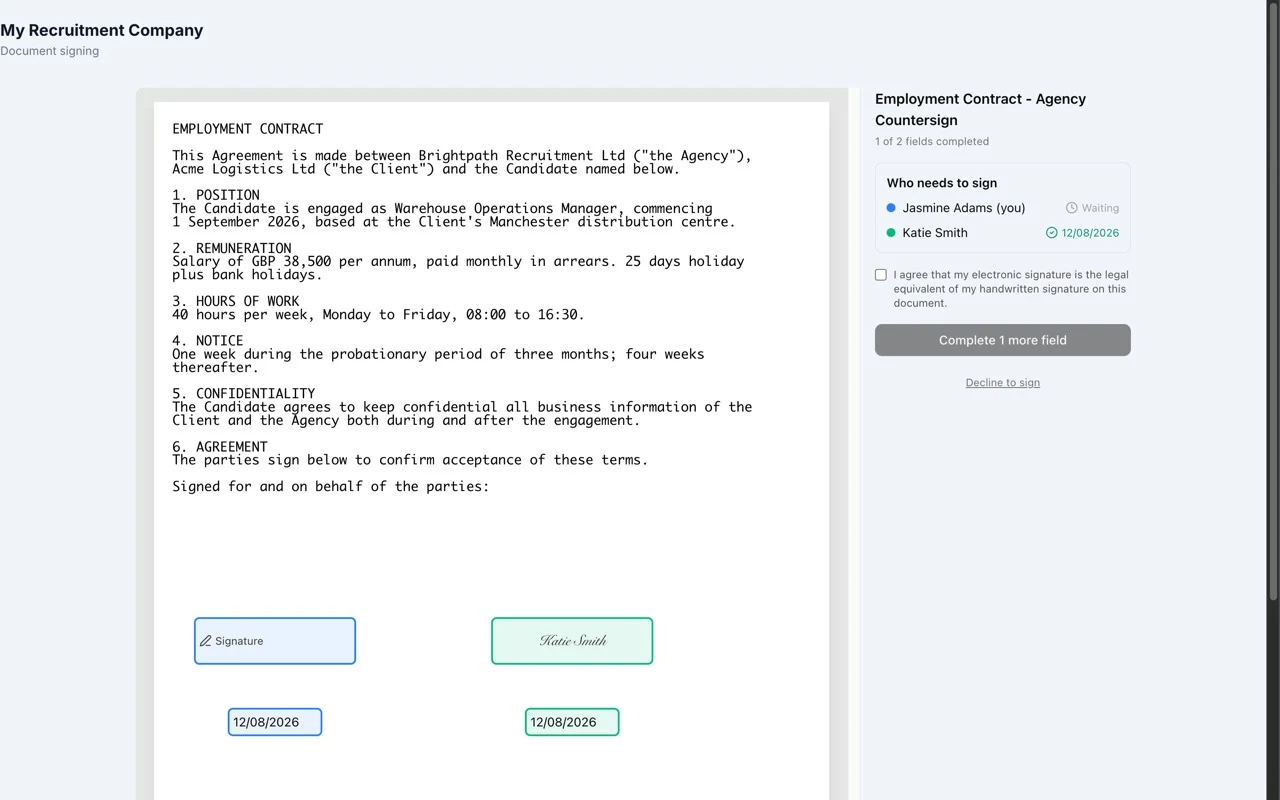
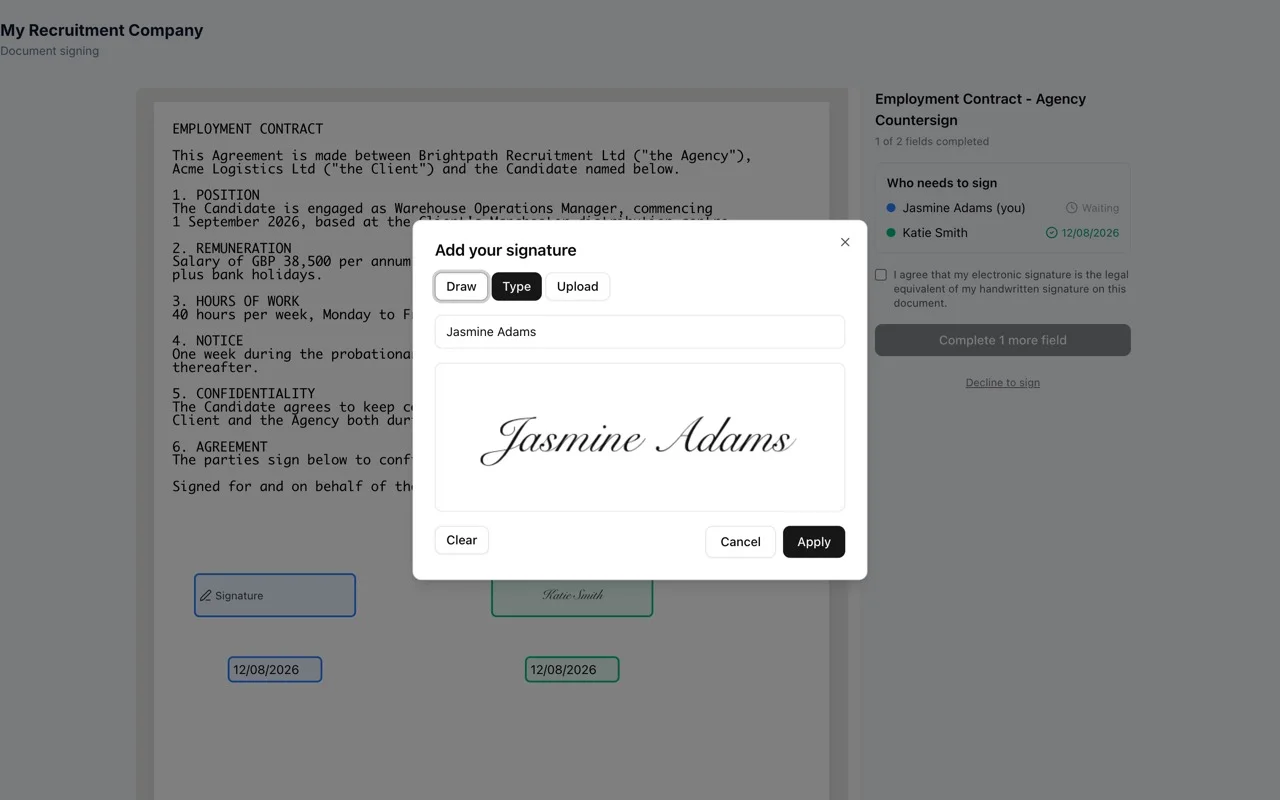
Read, sign and finish in a few clicks.
Candidates sign in the candidate portal, client contacts in the client portal, and agency users in the CRM. The signing experience stays the same everywhere.
Know who has signed without chasing the wrong person.
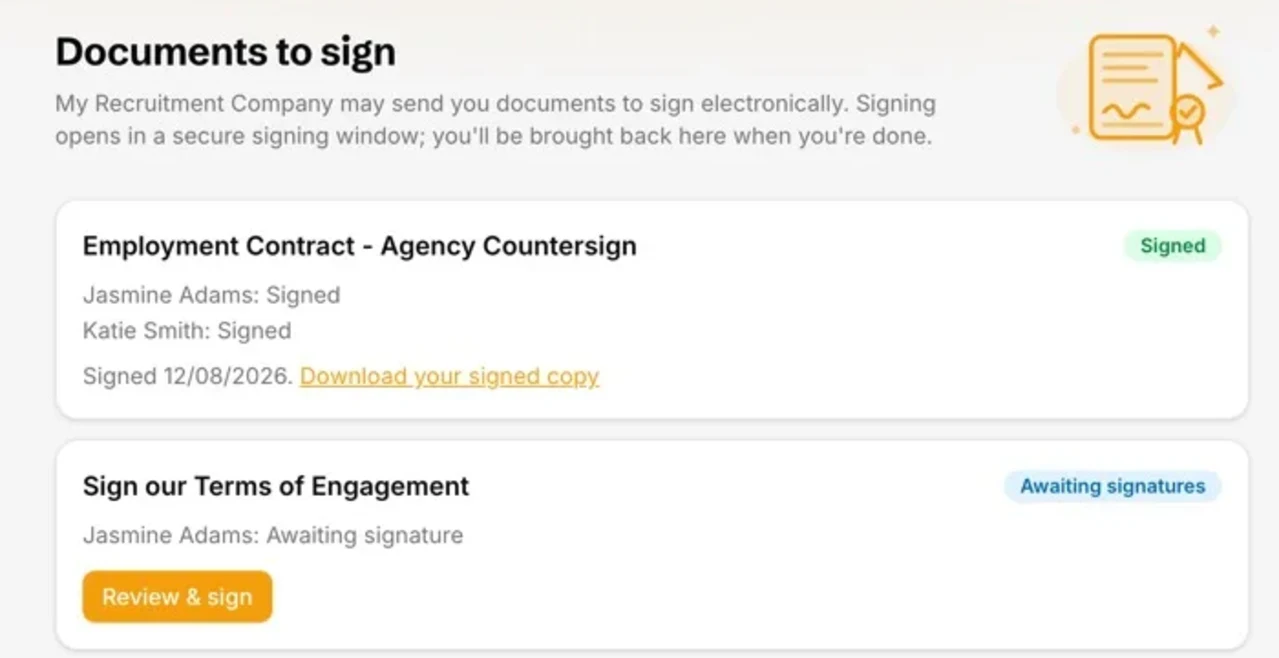
The record shows the status of every signing request and every recipient: awaiting, signed or declined. You can cancel an outstanding request from the same place.
When the last person signs, Recruit So Simple stamps the completed PDF, stores it on the record and makes a signed copy available to every signer.
Start signing without buying another product.
Charging is per document sent, not per signer. A contract signed by a candidate, a client and your agency counts as one document.
A clear record of what was signed, by whom and when.
Every signature is applied against the exact document sent. A SHA-256 fingerprint is recorded per signer, making changes after sending detectable.
- Exact document fingerprintA SHA-256 hash ties each signature to the PDF that was sent.
- Identity, date and timeSigner identity and completion time are recorded with each signature.
- Explicit consentEach signer confirms their electronic signature is the legal equivalent of their handwritten signature.
- Stored with the recordThe signed PDF stays in Recruit So Simple, not in a separate third-party account.
Agencies mention the same things
4.9 Average 33 Reviews
Easy adoption, responsive support and better value than over-complicated recruitment systems.

O Simpkins
A colleague recommended Recruit So Simple to me and I’m glad I made the switch. It took a little while to get used to a new system, but after a couple of days and a little help from their customer support, I’ve...
Read the full reviewT Burrows
As a startup I spent some time investigating recruitment software before stumbling upon Recruit So Simple. It’s early days, but I’ve found it very easy to use so far. The bulk import wizard made migrating data...
Read the full reviewSend your next contract without leaving the CRM.
10 documents included every month. No long contract. UK-based support included.