Give every candidate a clear next step.
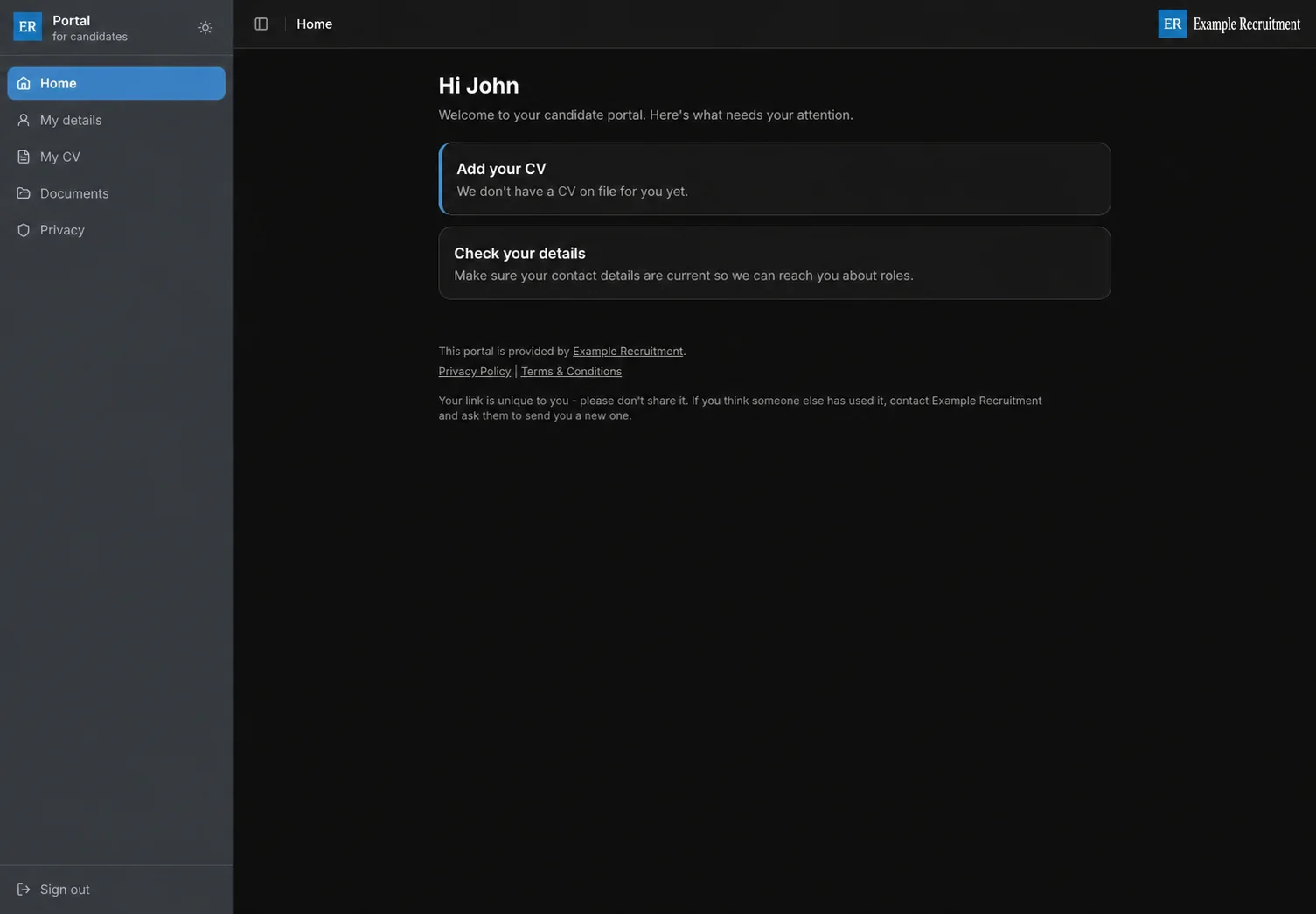
A personalised dashboard brings outstanding actions, profile progress and recent activity together. Candidates can still update their details, upload files and manage privacy choices from the same secure portal.
Invite once. Let candidates handle the routine updates.
The candidate gets a focused self-service experience; your consultants keep working from the CRM they already use.
-
01
Send a personal invite
Invite a candidate from their Portal tab or the Portal Links grid. Recruit So Simple creates a fresh personal link when you send.
-
02
The candidate self-serves
Candidates can update contact details, CVs, documents and privacy choices in one secure place.
-
03
The record stays useful
Their updates stay connected to the candidate record for your team.
Show candidates what needs attention.
The home dashboard puts outstanding actions first and shows profile completion alongside recent portal activity.
From there, candidates can maintain contact details, their current CV, supporting documents and privacy choices in clearly labelled sections.
Control the experience from one place.
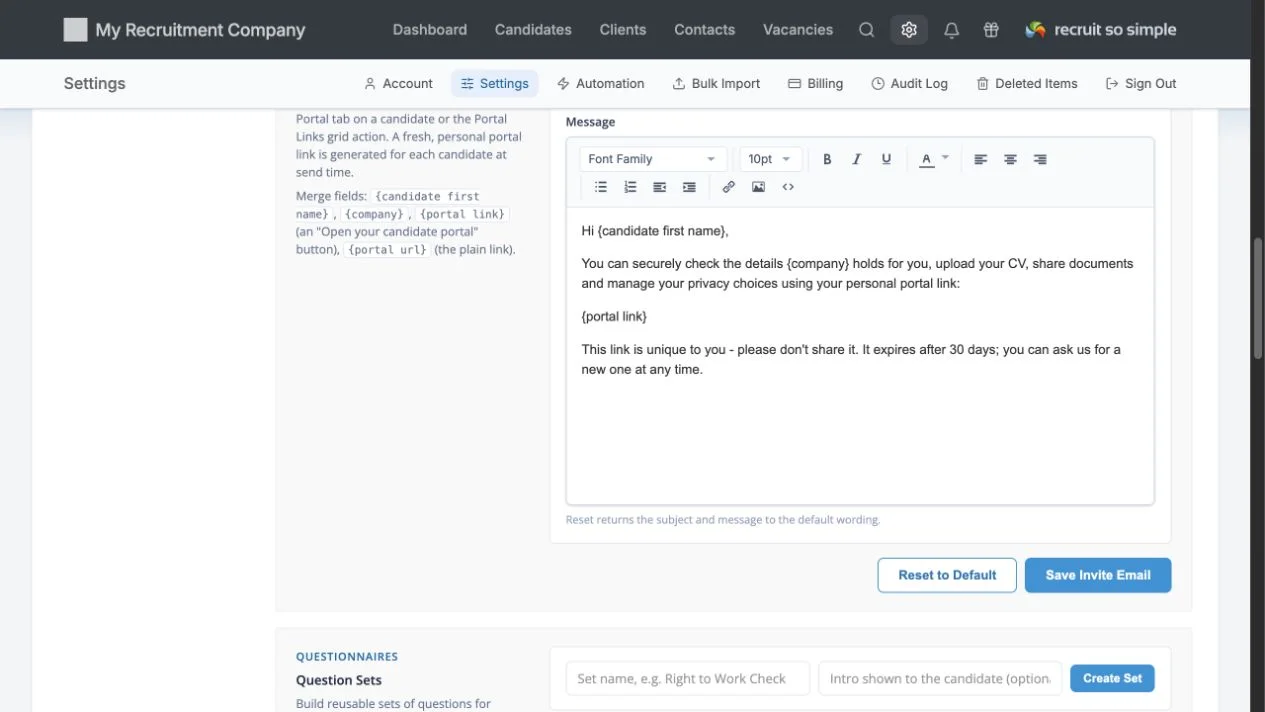
Switch personal details, CV uploads, document uploads, privacy and consent, and questionnaires on or off independently.
Tailor the welcome message and invite email, build reusable question sets and document packs, and choose whether replacement CVs remove older files.
Turn repeat candidate admin into reusable workflows.
Build the request once, assign it when needed and keep the response with the candidate.
Question sets
Create reusable questionnaires with short or long answers, yes/no choices, multiple choice, dates, file uploads and acknowledgements. Answers return to the candidate’s Portal tab.
Document packs
Group routinely requested documents into a pack and request them together. Packs can be auto-requested when a candidate is first invited.
Outstanding actions
Assigned questionnaires and document requests appear on the candidate dashboard, keeping the next step clear.
Use your branding and your own words.
Set the portal welcome message and invite email, including merge fields for the candidate, company and personal portal link. Your account branding supplies the logo, icon and website, privacy and terms links candidates see.
Agencies mention the same things
4.9 Average 33 Reviews
Easy adoption, responsive support and better value than over-complicated recruitment systems.

C Welch
After working in the recruitment industry for a number of years and having a vast amount of experience with different recruitment databases, when I started my own business I knew I was looking...
Read the full reviewB Murphy
Being able to consolidate all of my data to one, simple to use, cloud-based solution has transformed my business. I cannot recommend RSS highly enough. The after-sales customer service is an...
Read the full reviewGive candidates a simpler way to keep things moving.
No charge during your trial. No long contracts. UK-based support included.