Make the CRM feel like it belongs to your team.
Use your own language, colours, statuses and grid layouts, then add your company name and brand icon so the workspace feels familiar from the moment your team signs in.
Shape the parts your team sees every day.
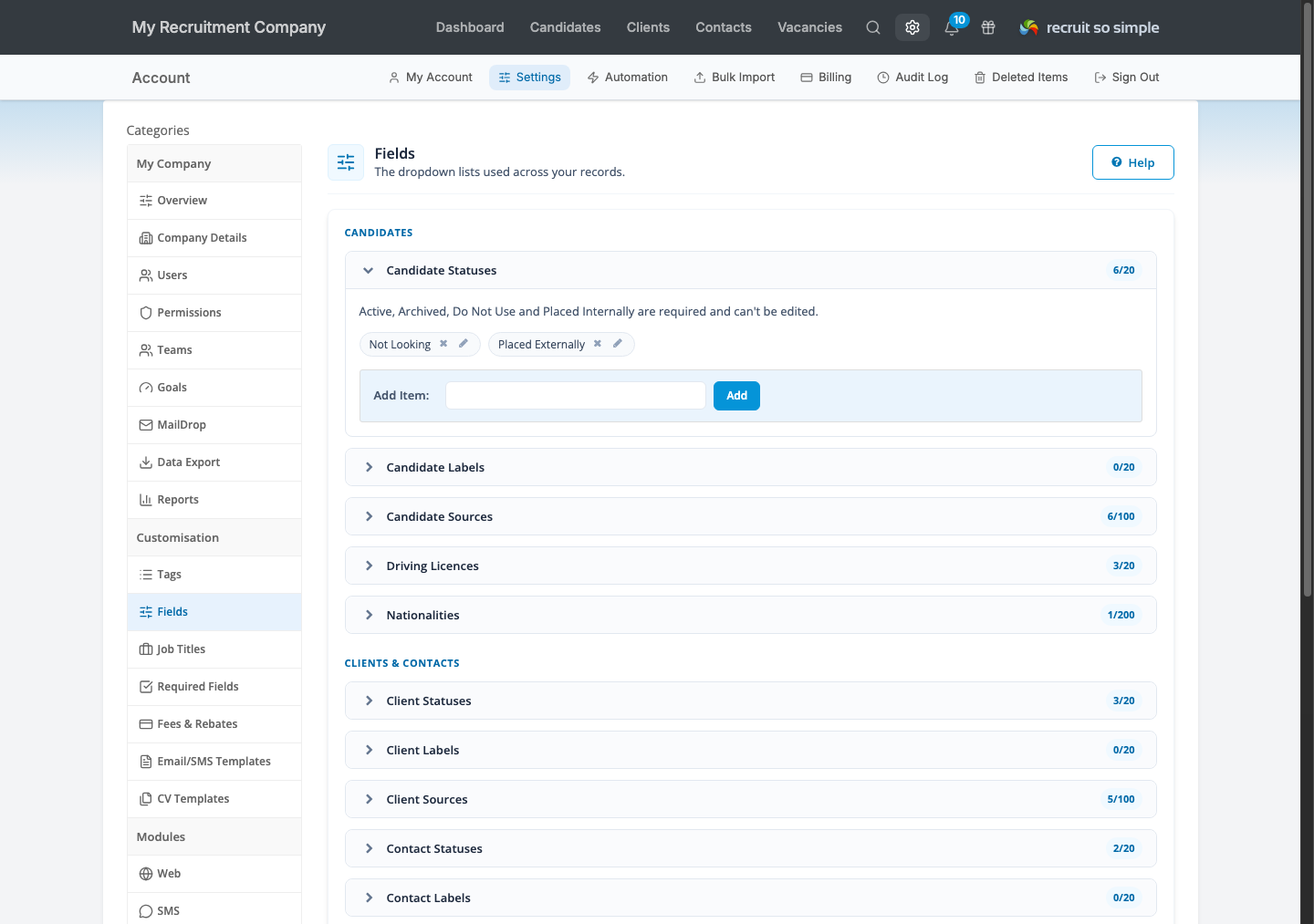
Open Settings > Fields to manage the shared lists used across candidate, client, contact and vacancy records.
Give important records an instantly recognisable signal.
Create labels for candidates, clients, contacts and vacancies, then choose a colour for each one. Use them for categories or priorities such as Key account, Follow up, On hold or Exclusive.
Each record can carry one clear label. Display it in the record header and add the Label column to the relevant grid, so the context stays visible while your team scans a list.
Read the labels guide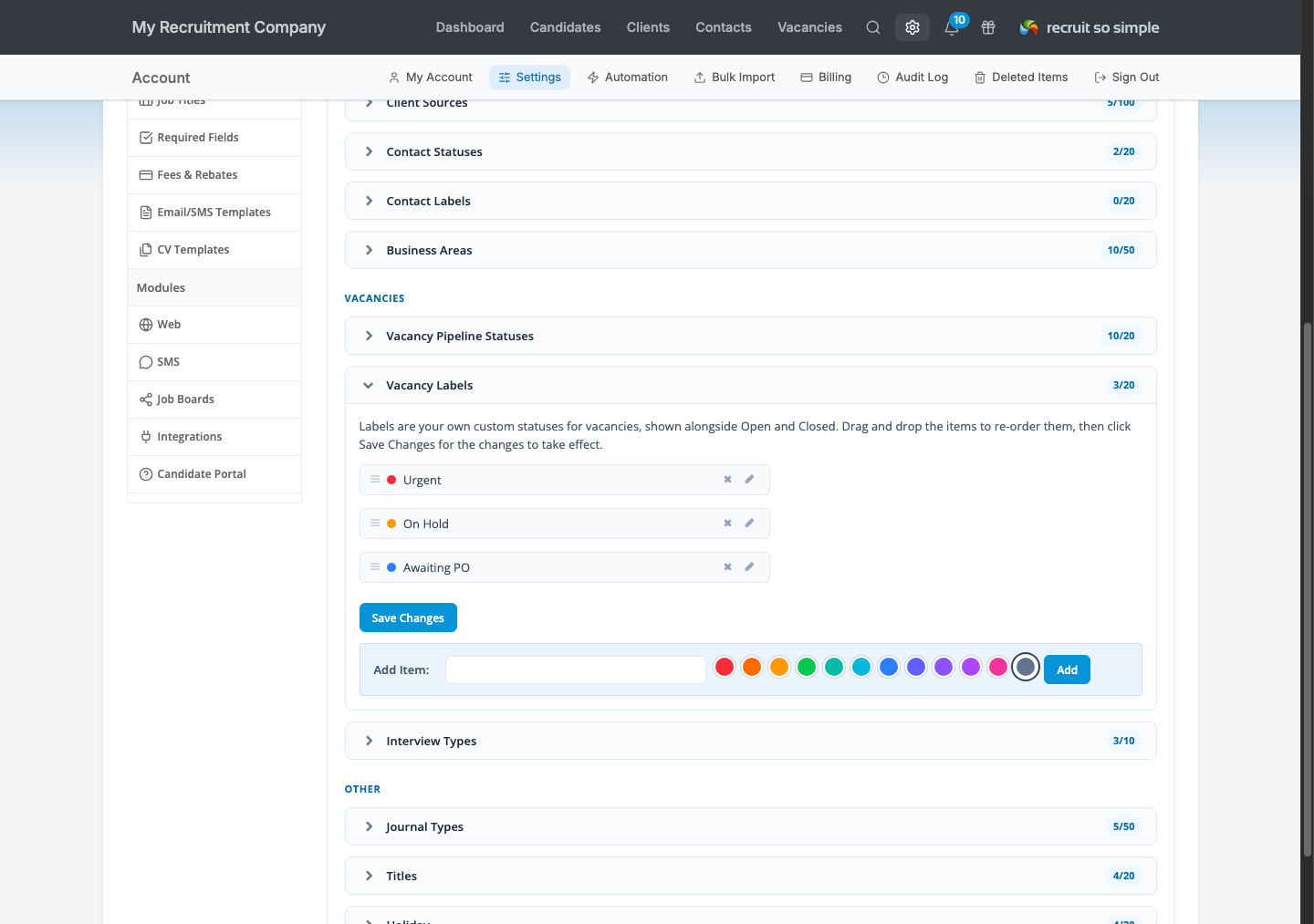
Let the system speak your team’s language.
Name custom fields for the information your business collects, then adjust the shared lists that guide day-to-day record keeping.
Candidate, client and contact statuses and sources sit alongside business areas, driving licences, nationalities, journal types and other account lists.
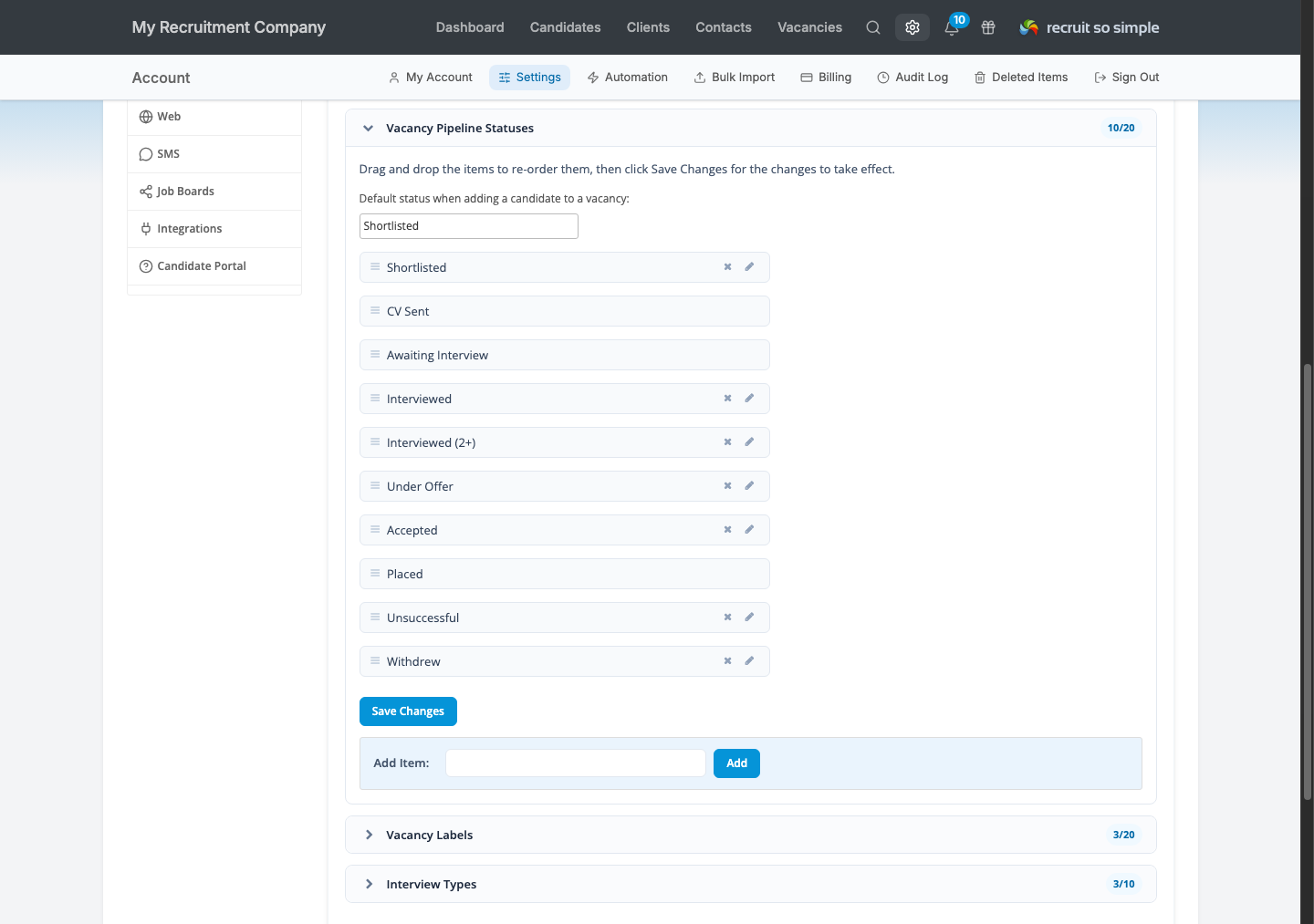
Vacancy pipeline stages can be renamed and reordered, with your chosen default used whenever a candidate is first added to a vacancy.
Put the useful columns first.
Choose which columns appear on your candidate, client, contact and vacancy grids, then arrange the view around the work in front of you. Bring custom fields and labels into the list when they matter, and remove columns that add noise.
Your usual grid settings can be remembered, while saved searches give teams reusable views for different roles, desks and workflows.
Explore advanced grids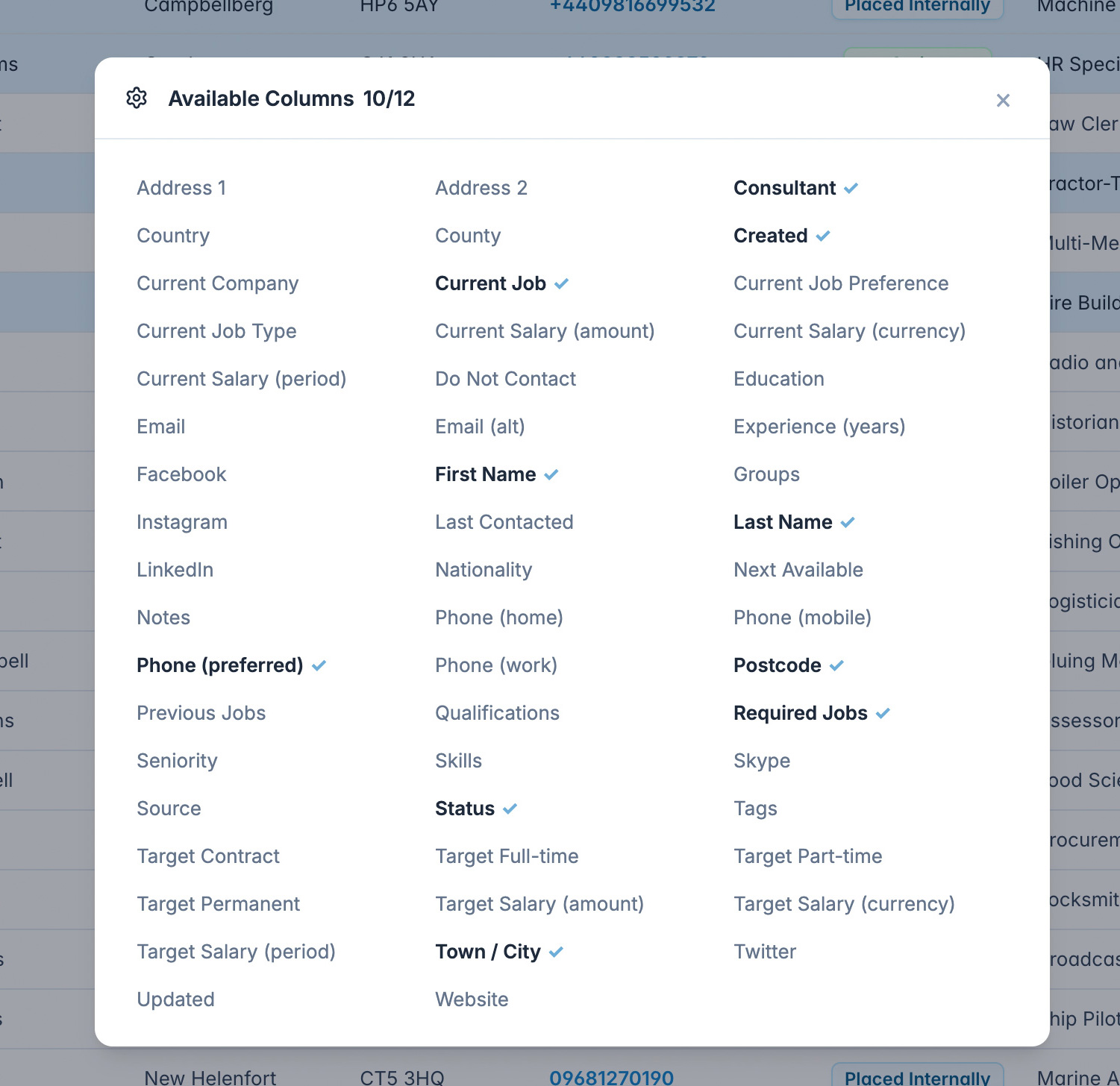
Give your team a workspace that feels like home.
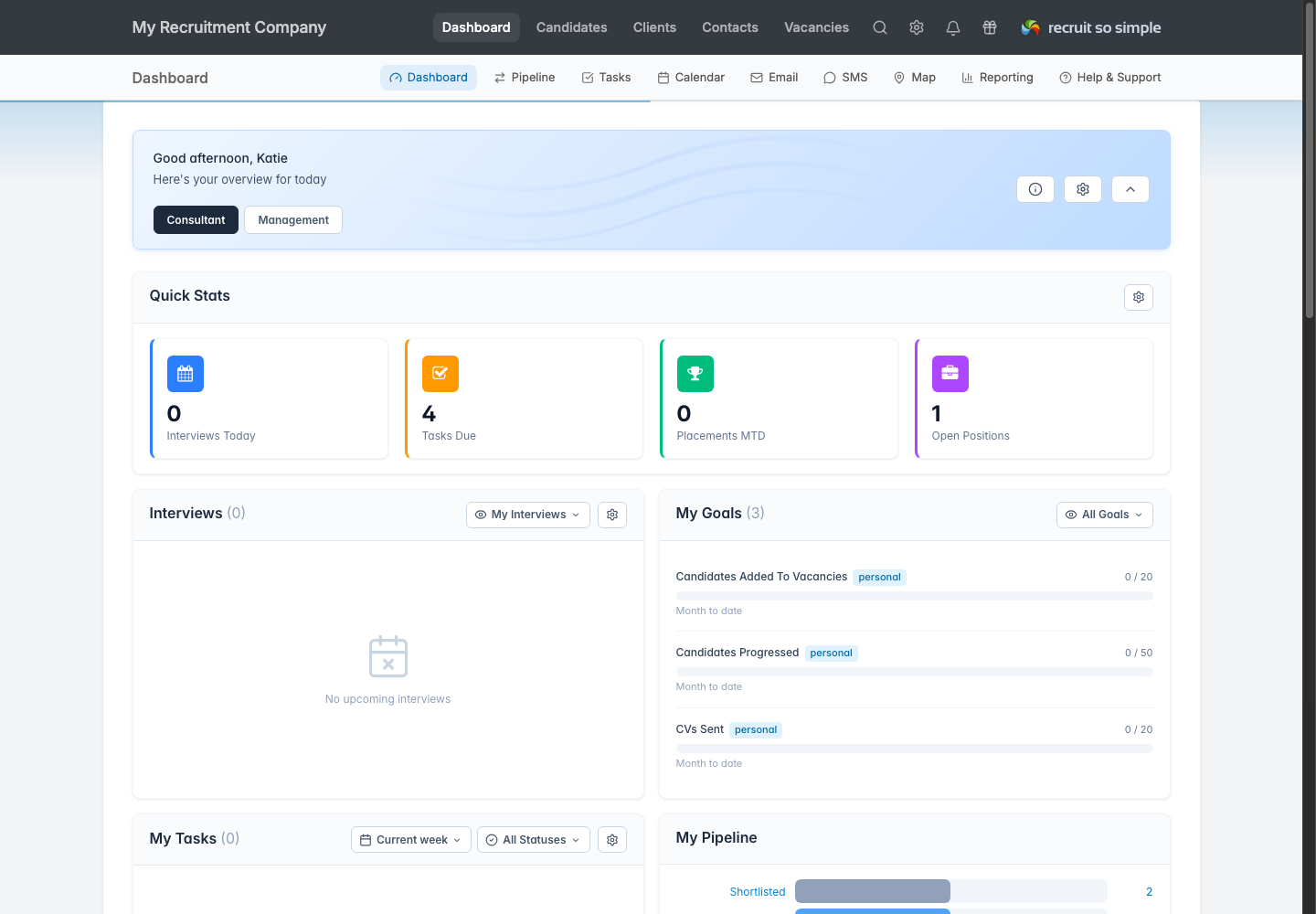
Add a brand icon and your company name to the top-left of the product. It is a small, persistent detail that makes the shared workspace feel personal and helps reinforce which business and account your team is working in.
The result is still Recruit So Simple underneath: familiar, supported and easy to use, with your identity at the front of the experience.
Agencies mention the same things
4.9 Average 33 Reviews
Easy adoption, responsive support and better value than over-complicated recruitment systems.

C Welch
After working in the recruitment industry for a number of years and having a vast amount of experience with different recruitment databases, when I started my own business I knew I was looking...
Read the full reviewB Murphy
Being able to consolidate all of my data to one, simple to use, cloud-based solution has transformed my business. I cannot recommend RSS highly enough. The after-sales customer service is an...
Read the full reviewSet the CRM up around your team.
No charge during your trial. No long contracts. UK-based support included.