Find the right records without rebuilding the same search.
Search, filter, preview, save and share the candidate views your team uses every day, so useful records are easier to find and act on.
Candidates
Customise, save and share the searches your team relies on.
Jump to the grid tools that help you filter, preview and act on candidate records.
Customisable columns
Tailor the grid to your needs by displaying only the columns you want.
Save and share searches
Create searches once, save them, and share with colleagues for consistent working.
Filter and sort columns
Quickly organise information by filtering and sorting any column.
Candidate quick preview
View candidate details instantly without leaving the grid.
Advanced search builder
Build detailed searches using nested boolean logic.
CV text searching
Search within CV content to pinpoint relevant skills and experience.
Postcode radius filtering
Refine searches geographically with full or partial UK postcodes.
Tag-based search
Use tags for skills, qualifications and other attributes to narrow your shortlist.
Bulk actions
Perform updates or actions on many records at once — emails, SMS, CV forwards and more.
Global quick search
Locate candidates across the database instantly with a universal search tool.
Shape the grid around the search in front of you.
Select the columns that matter for the task in front of you. Whether you are reviewing salary expectations, skills, availability or location, you can shape the grid around the information you need.
Set your default grid: choose your preferred columns, filters and sorting so your usual view is ready when you open the page.
Back to all grid tools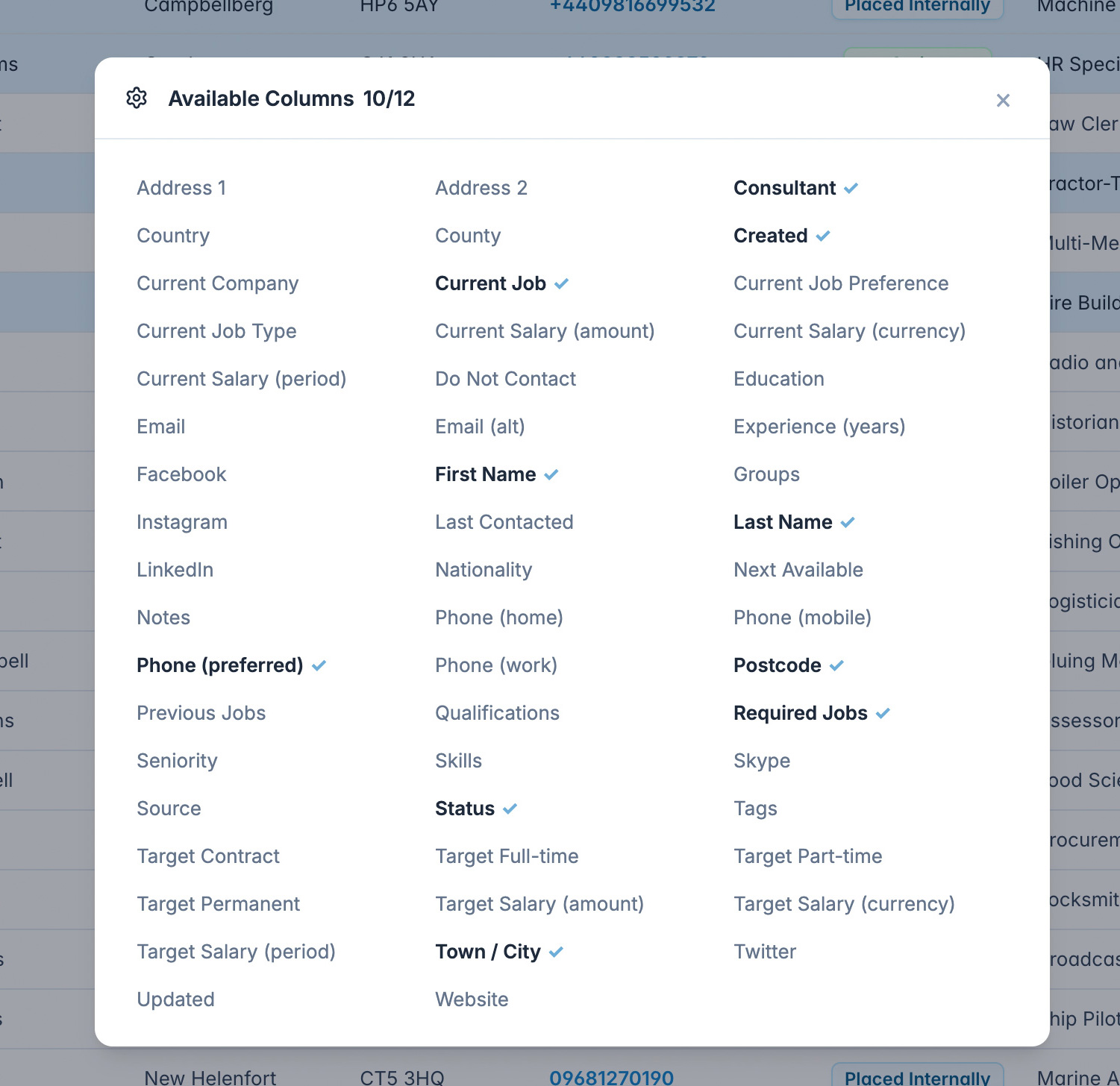
Stop rebuilding search criteria your team already trusts.
Save searches with their columns, filters, sorting, advanced boolean logic and other grid settings. The same view can then be loaded again whenever you need it.
Share and collaborate: share saved searches with colleagues so teams can work from the same criteria, or adapt a shared search into a new version for a specific role.
Back to all grid tools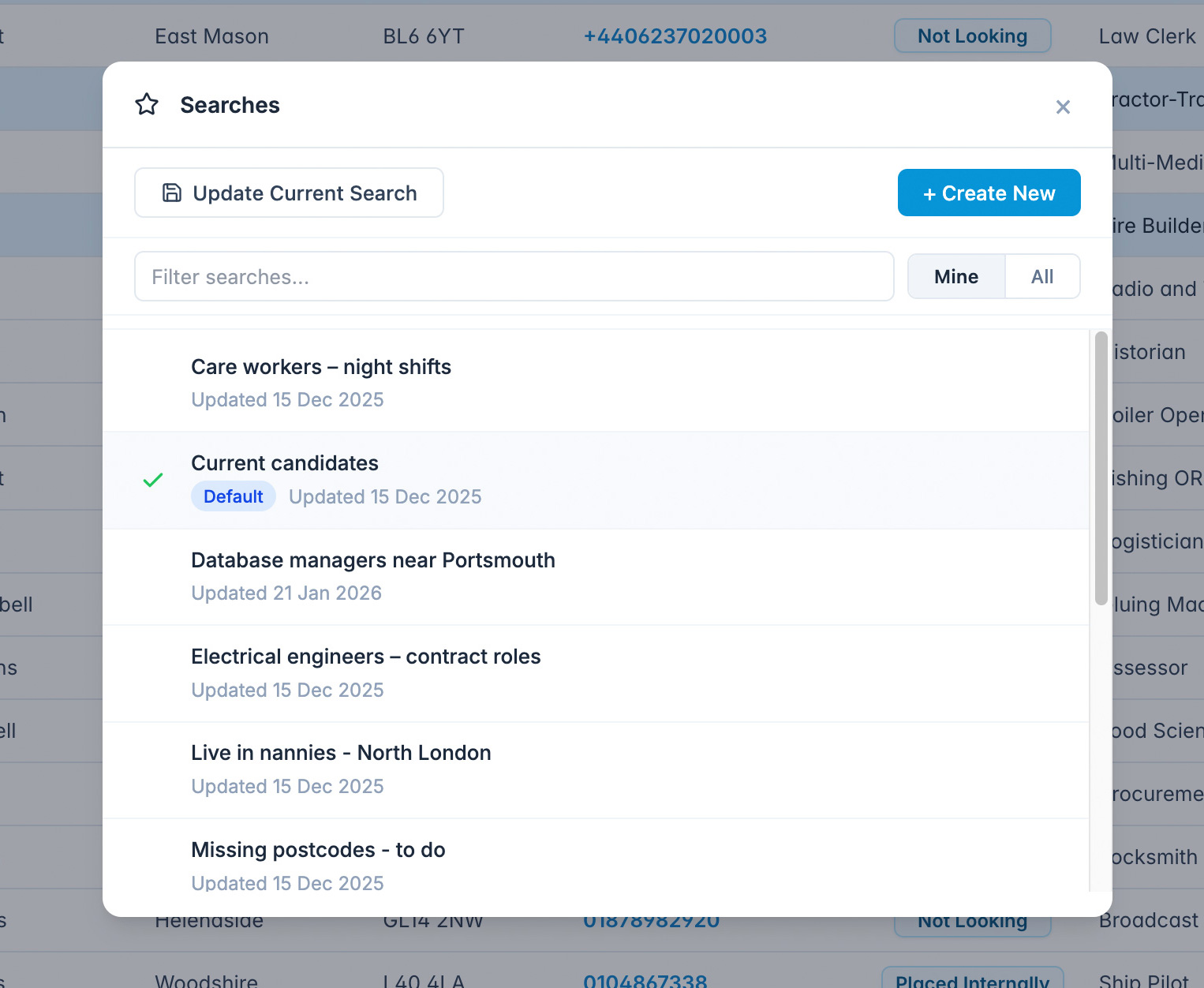
Narrow a large database without losing your place.
Organise your grid by sorting on any column, from names and dates to salary expectations or locations.
Each column includes a dedicated filter, and you can apply multiple filters across different columns to narrow the list to the records you need. Filters and sorting are included when saving a search.
Back to all grid tools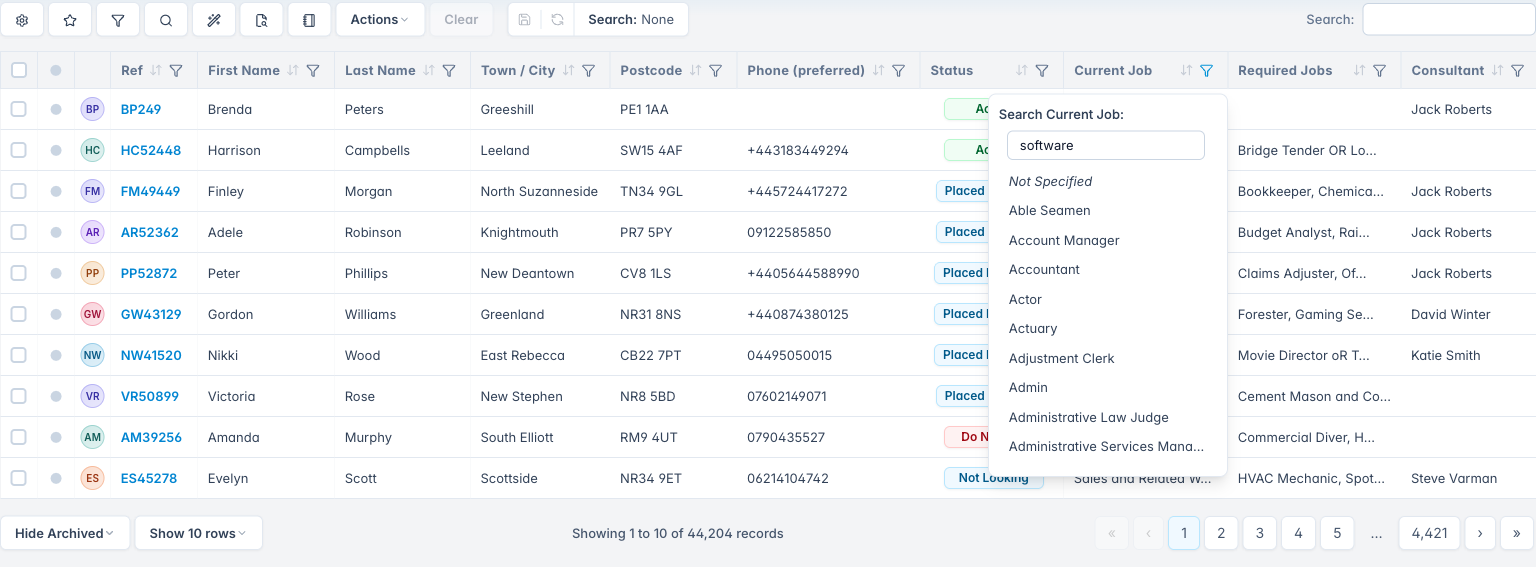
Check candidate detail without leaving the list.
View candidate details in a slide-over panel without navigating away from the grid. Take key actions directly from the preview, such as sending an email or adding a journal note.
Choose what to view: tailor the slide-over to show the information you need, such as a candidate’s CV. Your preference is remembered as you move between records.
Back to all grid tools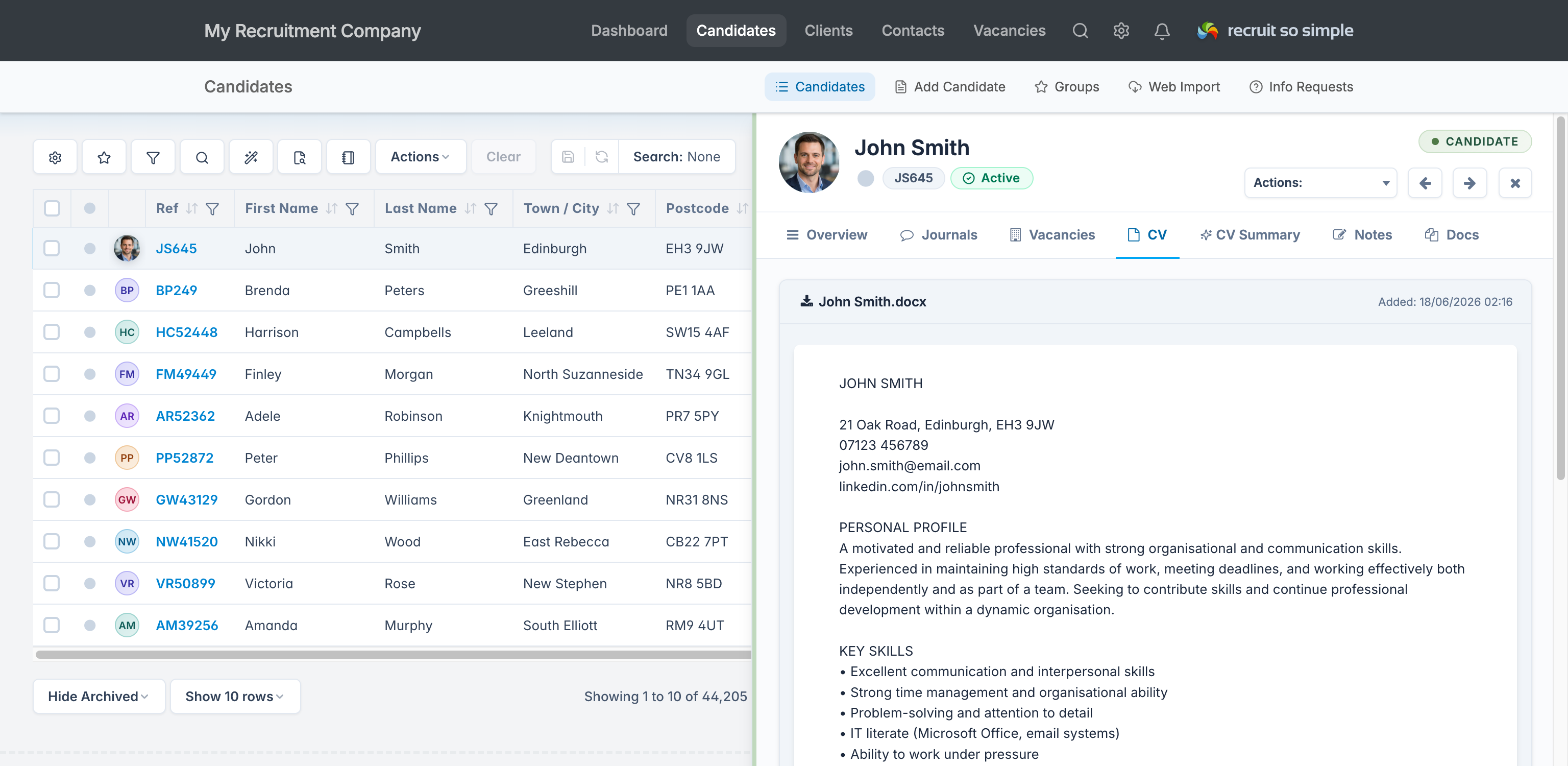
Build precise searches when a simple keyword is not enough.
Use the Advanced Search Builder to combine multiple criteria with nested boolean logic. It is built for searches that need more than a single keyword or column filter.
Integrated CV search: search within CVs for skills, phrases or keywords, then combine those results with data from candidate records.
Save and reuse: advanced searches are saved alongside the rest of your grid settings, so complex searches can be loaded again later.
Back to all grid tools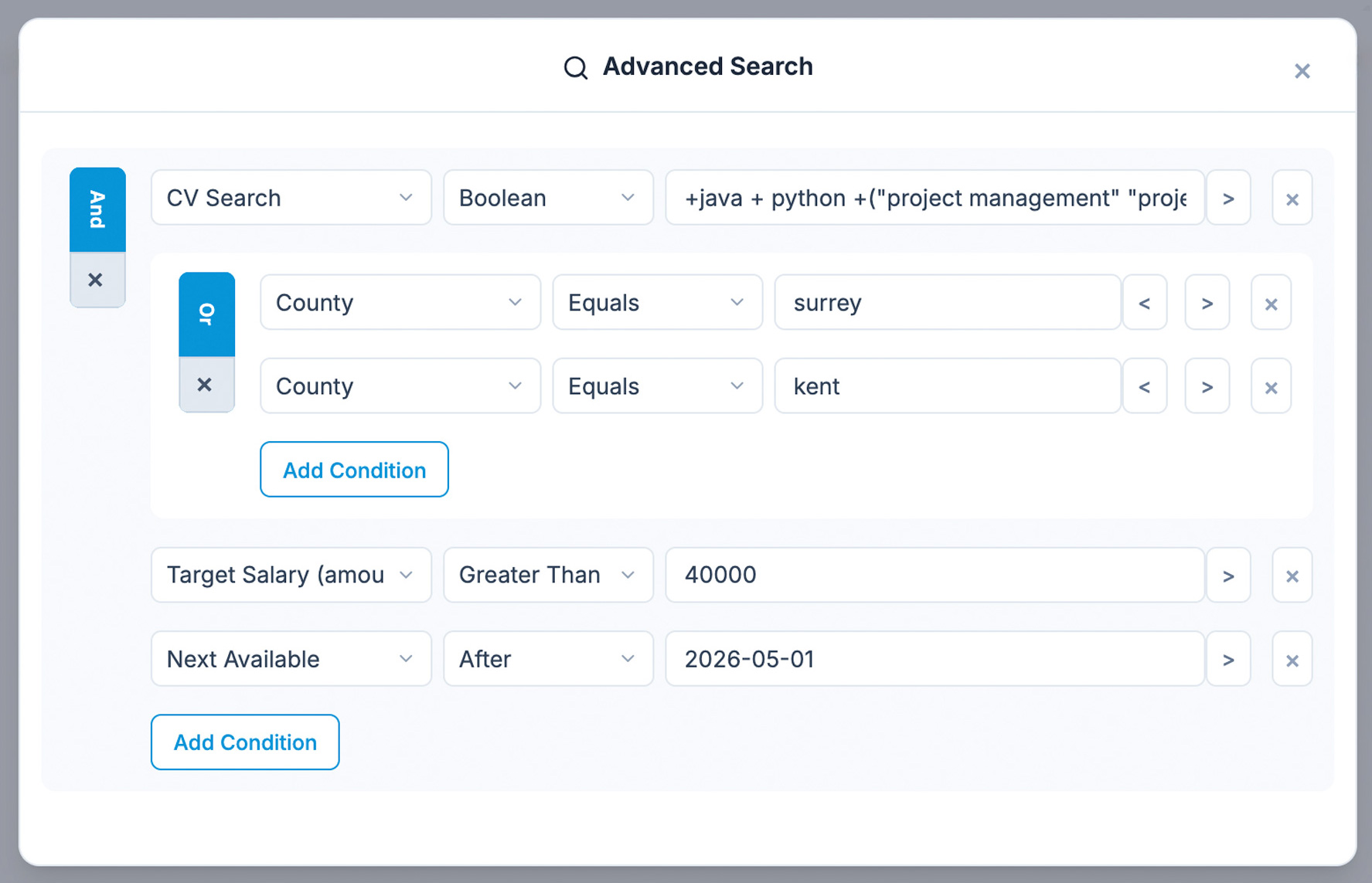
Search inside CVs for the details that matter.
Search inside CV text to find relevant skills, experience and phrases. Use wildcard searches for partial words and phrases, or whole-word searches when you need exact matches.
CV text searching works with the Advanced Search Builder, making it easier to combine CV content with other candidate criteria.
Back to all grid tools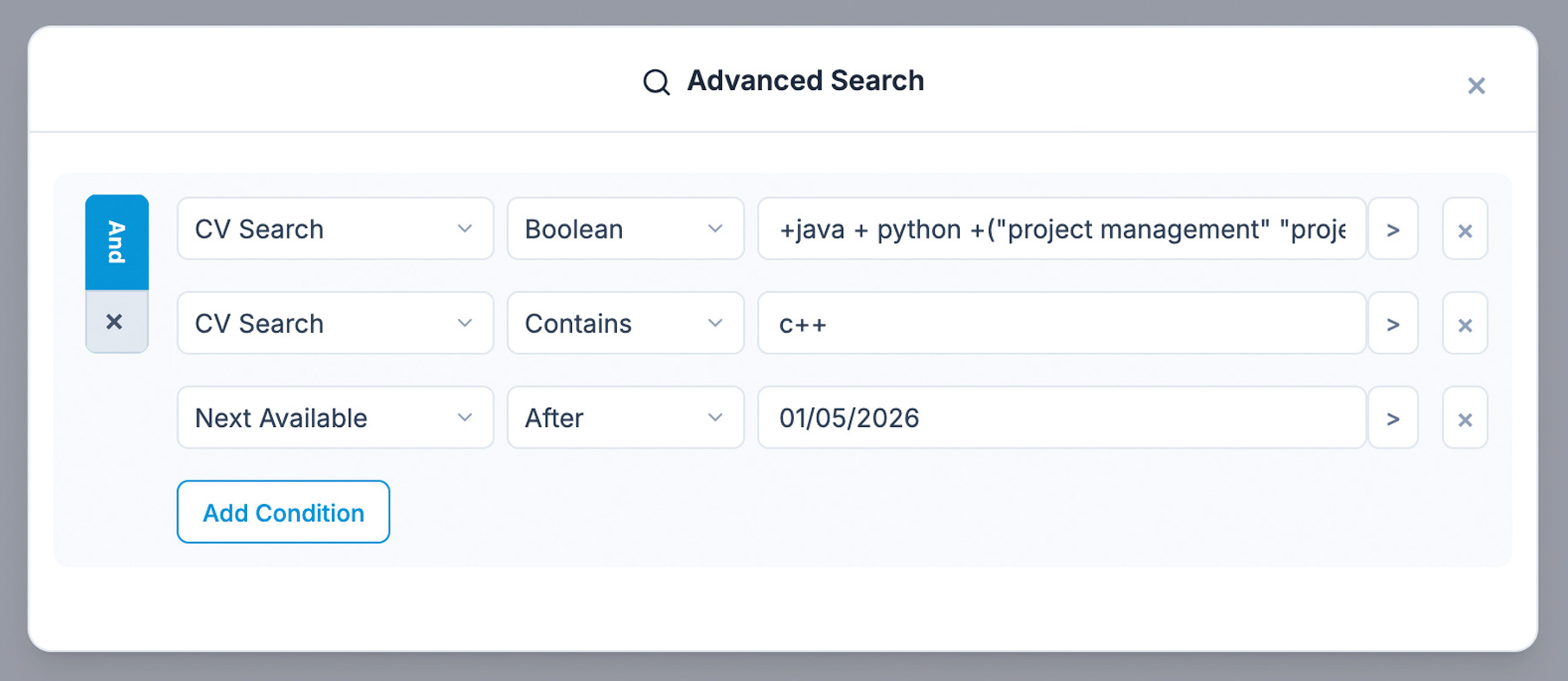
Find candidates within the right travel area.
Refine candidate searches geographically with postcode radius filtering, built for UK postcodes. Search using full or partial postcodes.
Combine criteria: use postcode radius searches alongside other filters, such as CV content or tags, to build a more focused shortlist.
Back to all grid tools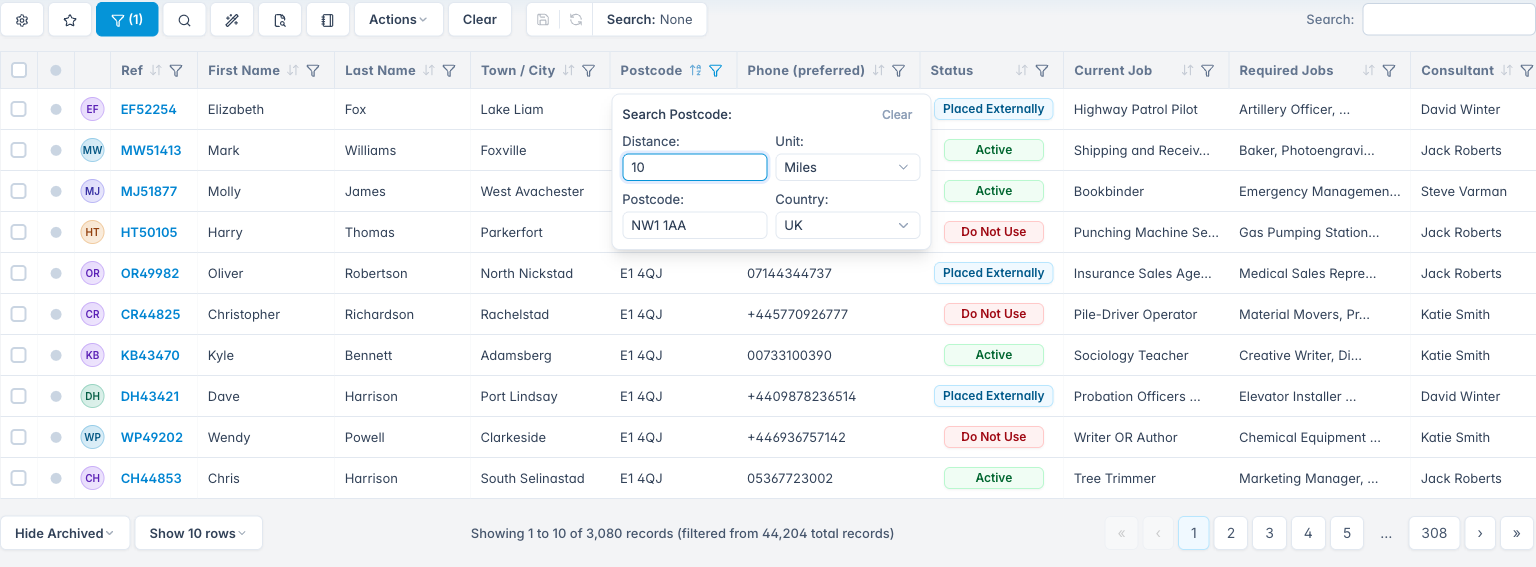
Use tags to narrow lists without messy workarounds.
Narrow down your candidate pool using custom keyword tags for skills, qualifications or other attributes. Filter tags directly from the Tags column, combining multiple tags with AND or OR logic.
Back to all grid tools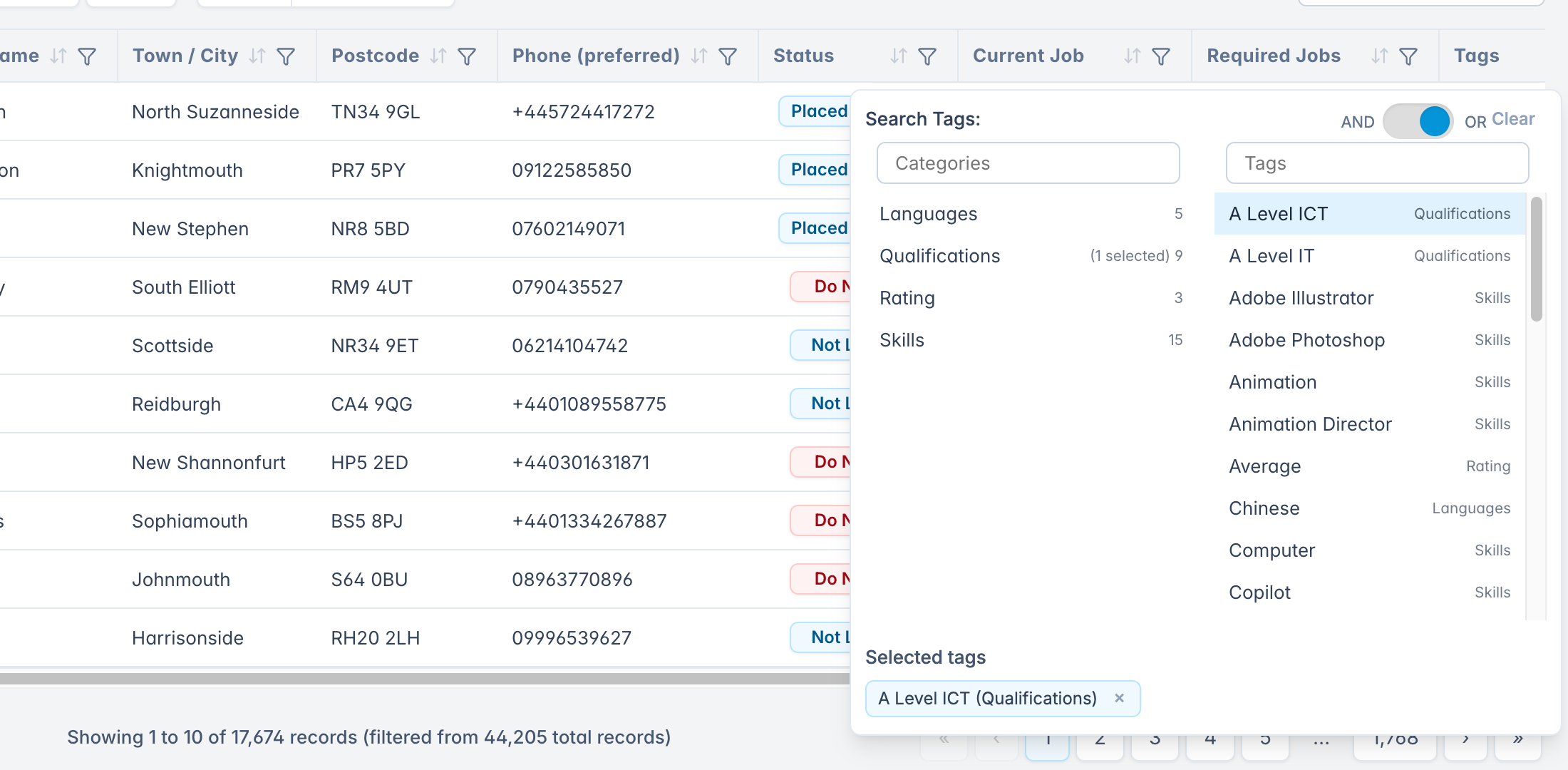
Act on groups of candidates from the same view.
Manage candidate records at scale with bulk actions. Email a group of candidates, send an SMS notification, forward CVs to a client, or add selected profiles to a vacancy from the grid.
It keeps common follow-up work closer to the records you are already reviewing.
Back to all grid tools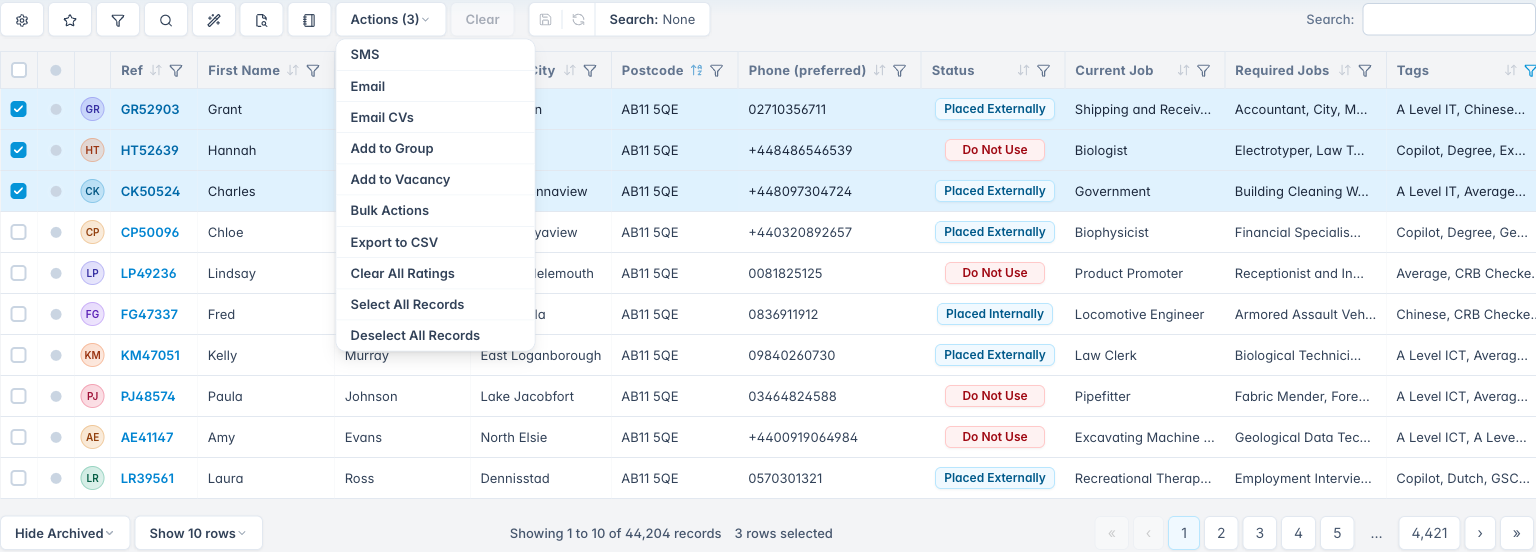
Jump straight to the record you already have in mind.
When you need a specific candidate or record, Global Search gives you a fast route across the database.
Type relevant terms (for example, “Nikki Moore Widgets Ltd”) and Global Search scans candidate data, not just the columns in your current grid. Spaces are treated as an AND, so results include all entered terms.
Use it for names, companies, locations or other details when you want to move directly to the right record.
Back to all grid tools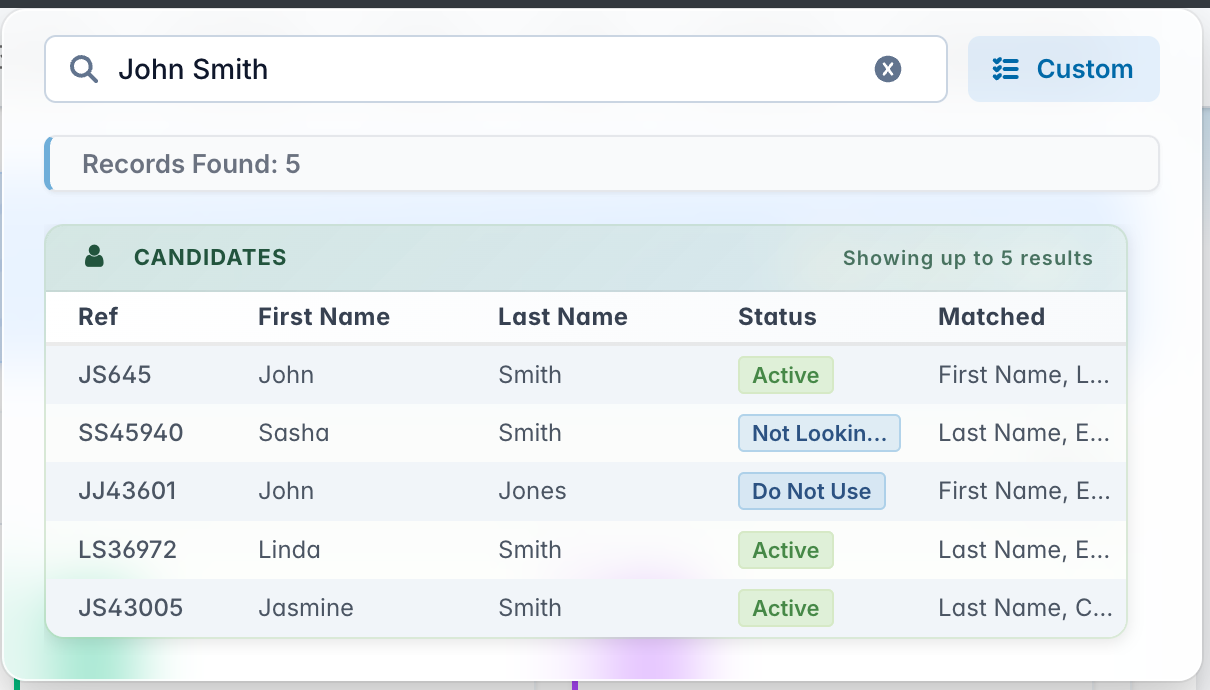
Agencies mention the same things
4.9 Average 33 Reviews
Easy adoption, responsive support and better value than over-complicated recruitment systems.

J Brownlie
Andrew was superb throughout the whole process. He understood that the issue would better be resolved over the phone and endeavoured to make it as easy as possible. Effortless and very efficient whilst giving...
Read the full reviewL Thornhill
I've worked in recruitment since 2001, so have plenty of years' experience and plenty of recruitment systems experience. Despite having worked for a very large corporate, their system was nowhere near as good...
Read the full reviewSee how faster candidate search works in practice.
No charge during your trial. No long contracts. UK-based support included.