Design agency CVs worth sending.
Build reusable A4 templates with your branding, merge fields and free text. Consultants can then choose a layout, refine it for the candidate and create a client-ready PDF without rebuilding the document from scratch.
Reusable templates · Per-CV edits · Client-ready PDFs
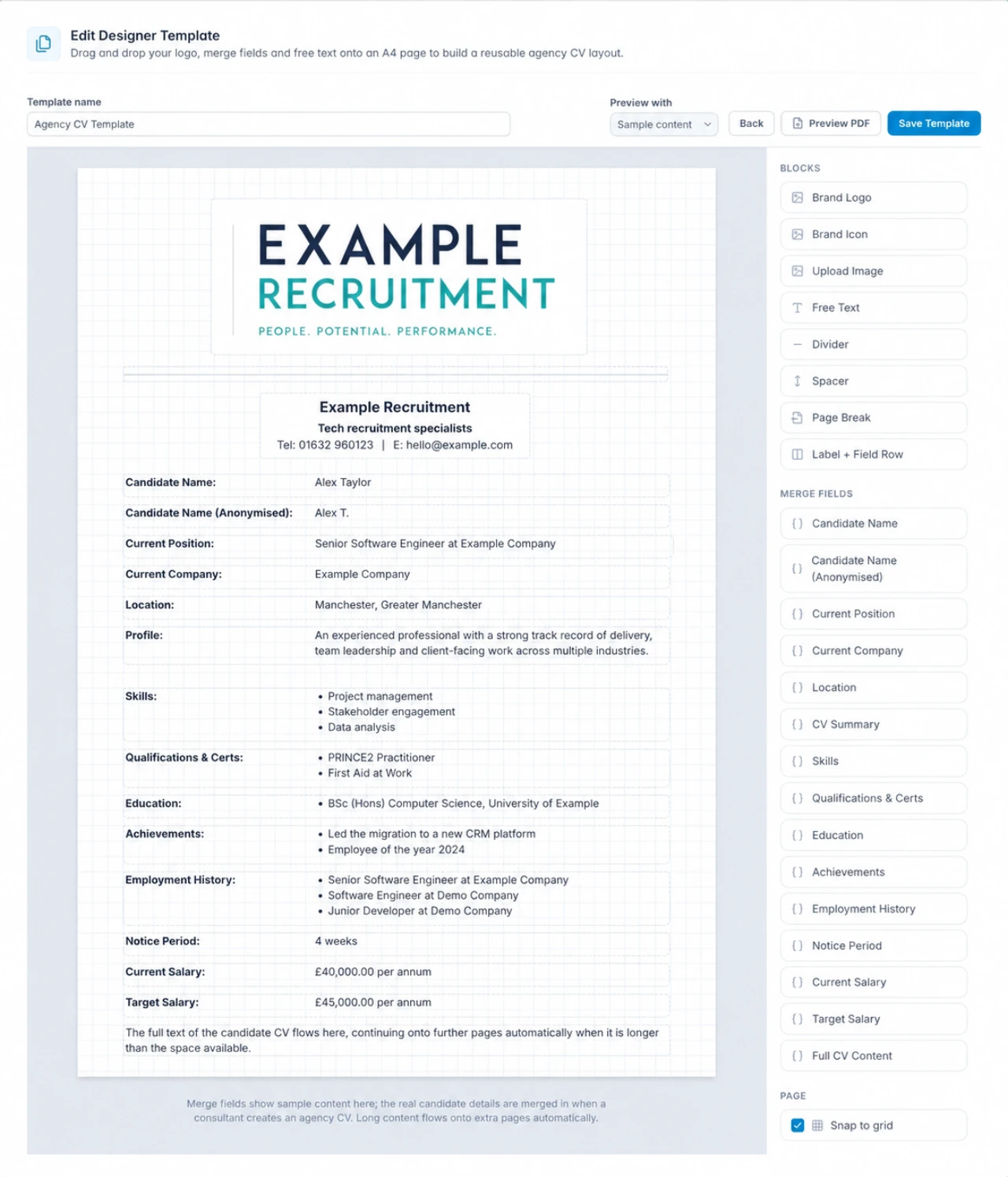
From reusable layout to client-ready CV.
Account managers control the templates. Consultants control the final candidate copy. Both work in the same recruitment record.
-
01
Build the template
Start from an example or a blank A4 page, then arrange brand assets, headings, dividers and candidate merge fields.
-
02
Choose it on the candidate
Open Create Agency CV from the candidate record and pick the most suitable approved layout.
-
03
Review and create
Check the merged page, adjust individual fields for this CV only, preview the PDF and create the finished agency copy.
Give the team a consistent starting point.
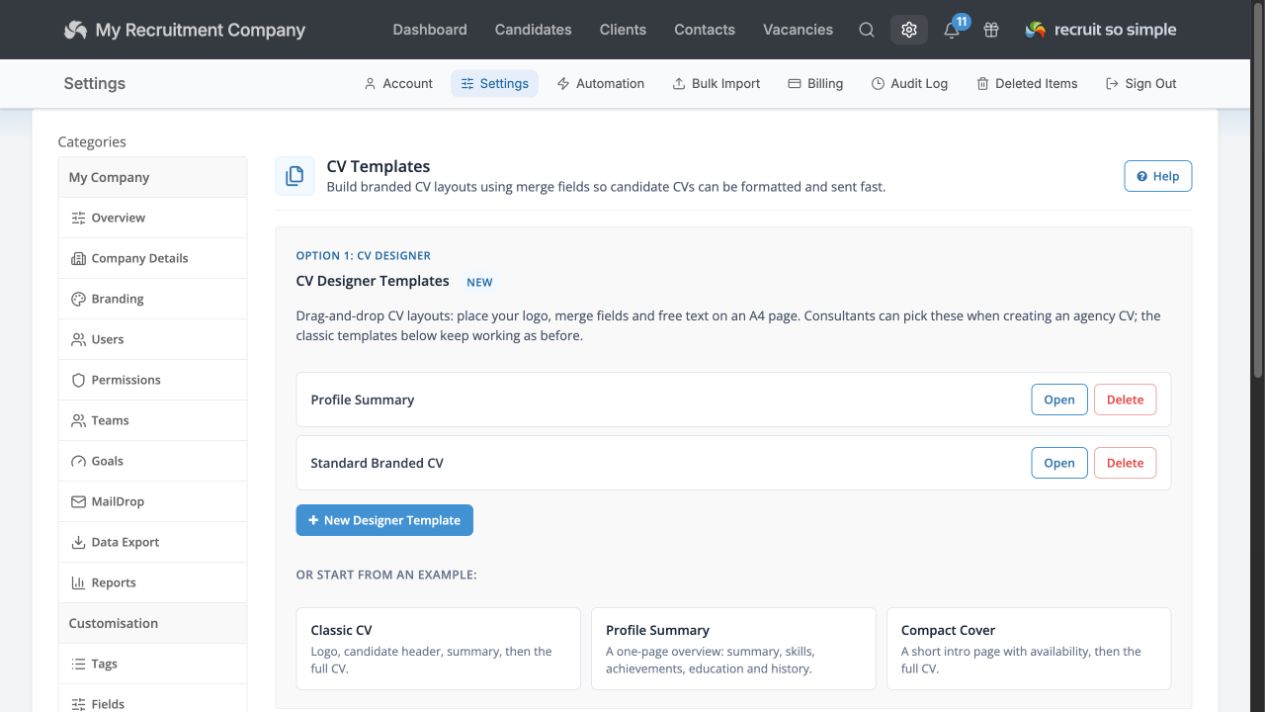
Create as many designer templates as your agency needs. Use a blank layout or begin with Classic CV, Profile Summary or Compact Cover, then keep existing rich-text templates available alongside them.
Consultants choose from the saved layouts when they create an agency CV, so branding and structure stay consistent without slowing down a submission.
Tailor the copy without changing the candidate record.
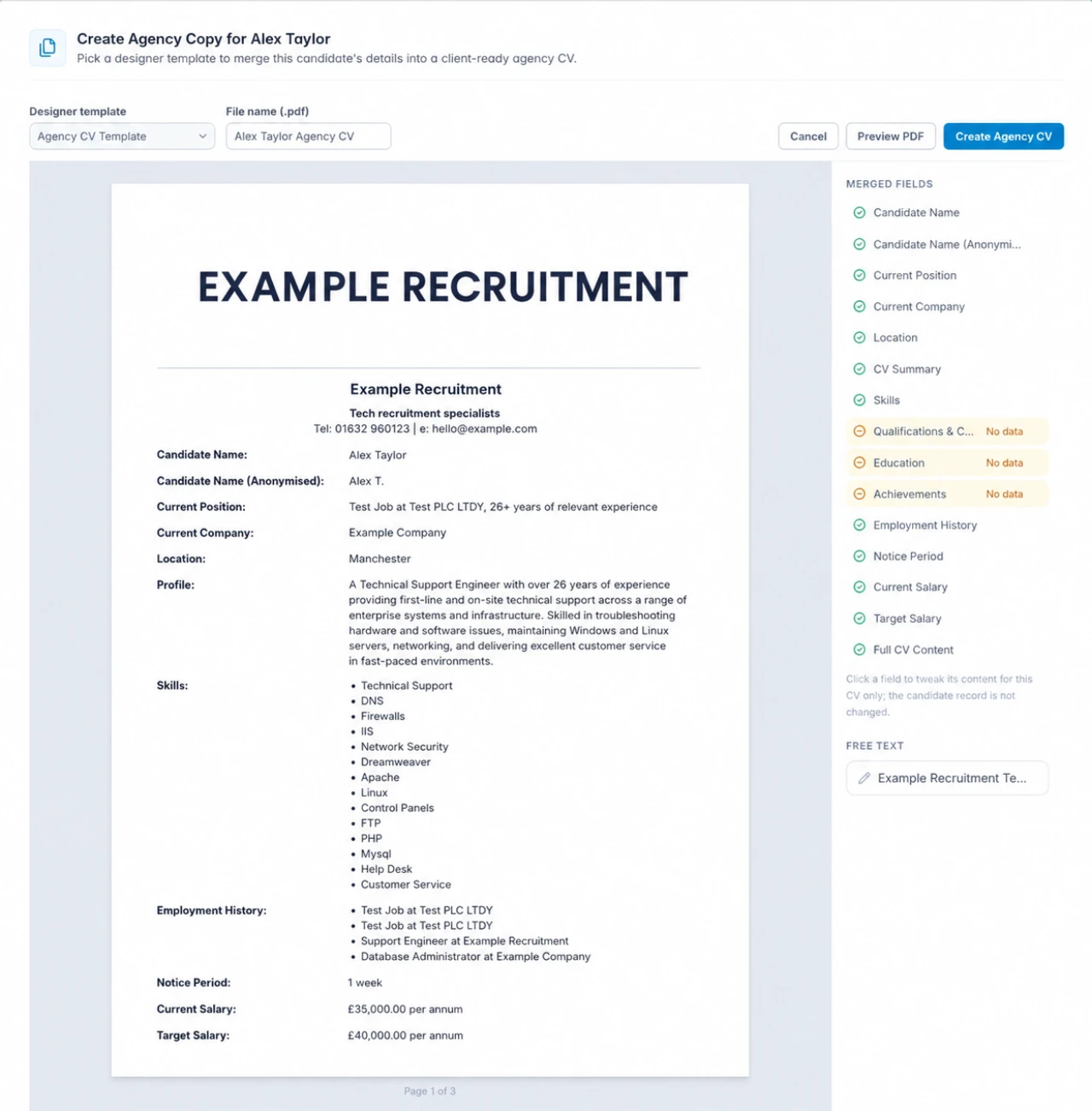
The chosen template merges the candidate’s current details into a live page preview. Consultants can see which fields have data, spot gaps and edit an individual field for this agency CV only.
That makes it easy to lead with the experience most relevant to the role while leaving the underlying candidate information untouched.
Use the right content, in the right order, for your agency.
The designer gives you enough control to build a distinctive agency document without turning every consultant into a desktop publisher.
Brand assets
Place your logo, brand icon or an uploaded image wherever the layout needs it.
Candidate merge fields
Add names, position, location, skills, education, achievements, employment history, salaries and full CV content.
Anonymised names
Choose the anonymised candidate-name field when the client should not see the candidate’s full identity.
Free text and structure
Add reusable copy, labelled rows, dividers, spacing and deliberate page breaks.
A4 grid and snapping
Position and resize blocks on a familiar page, with snap-to-grid alignment when you want it.
Automatic extra pages
Long merged content can continue onto additional pages instead of being squeezed into the layout.
A stronger candidate introduction, without the formatting scramble.
Keep the agency presentation consistent, protect the details you do not want to share and let consultants spend their time on the candidate story rather than document formatting.
- Preview before creatingCheck the finished PDF while changes are still easy.
- Stored as an Agency CVThe created PDF returns to the candidate’s documents.
- Reuse your agency brandingSave your layout as a template for the next candidate.
Agencies mention the same things
4.9 Average 33 Reviews
Easy adoption, responsive support and better value than over-complicated recruitment systems.

M Greening
What a fantastic start to the New Year guys - I love the updates to the system. I’m already making use of the new filtering and reporting options. Thanks for all the great support I received last week as well...
Read the full reviewA Wilkes
I’m a long time user of RSS - over three years now - and I can’t recommend them highly enough. On the occasions that I’ve contacted their technical support, the response times are extremely fast. This is of great...
Read the full reviewMake the next CV unmistakably yours.
Every core CRM feature included. No long contract. UK-based support included.